 熊猫出海编辑团队
Last updated: 16 November 2026. Google Ads API (v26.2), Anthropic and OpenAI documentation checked that day.
Claude.ai on the web cannot launch a local process, so to use Google Ads from the Claude web or mobile apps you need the Google Ads MCP server running remotely. Google’s open-source server supports Streamable HTTP on Cloud Run with an OAuth proxy (README, integration guide). Then you add it to Claude as a custom connector (Claude Help Center).
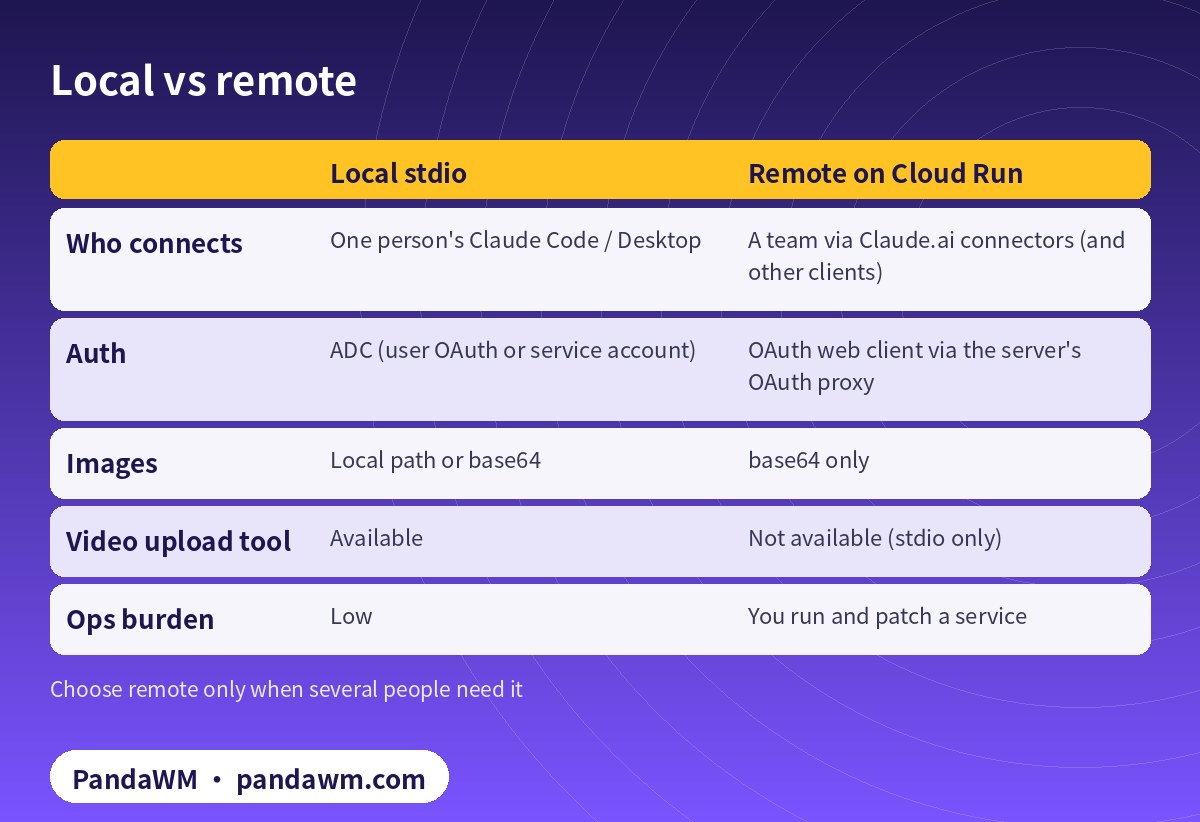
Local or remote?
| Local stdio | Remote on Cloud Run | |
|---|---|---|
| Who connects | One person’s Claude Code / Desktop | A team via Claude.ai connectors (and other clients) |
| Auth | ADC (user OAuth or service account) | OAuth web client via the server’s OAuth proxy |
| Images | Local path or base64 | base64 only |
| Video upload tool | Available | Not available (stdio only) |
| Ops burden | Low | You run and patch a service |
1. Prepare the Cloud project
- Enable the Google Ads API (Test access) and apply for Explorer or higher for production accounts. No developer token is needed since the 9 September 2026 sunset (
- FAQ
- ).
- Create an OAuth 2.0 Web application client in the same project. Remote deployments only support the OAuth client ID and secret pair.
2. Configure OAuth for Claude
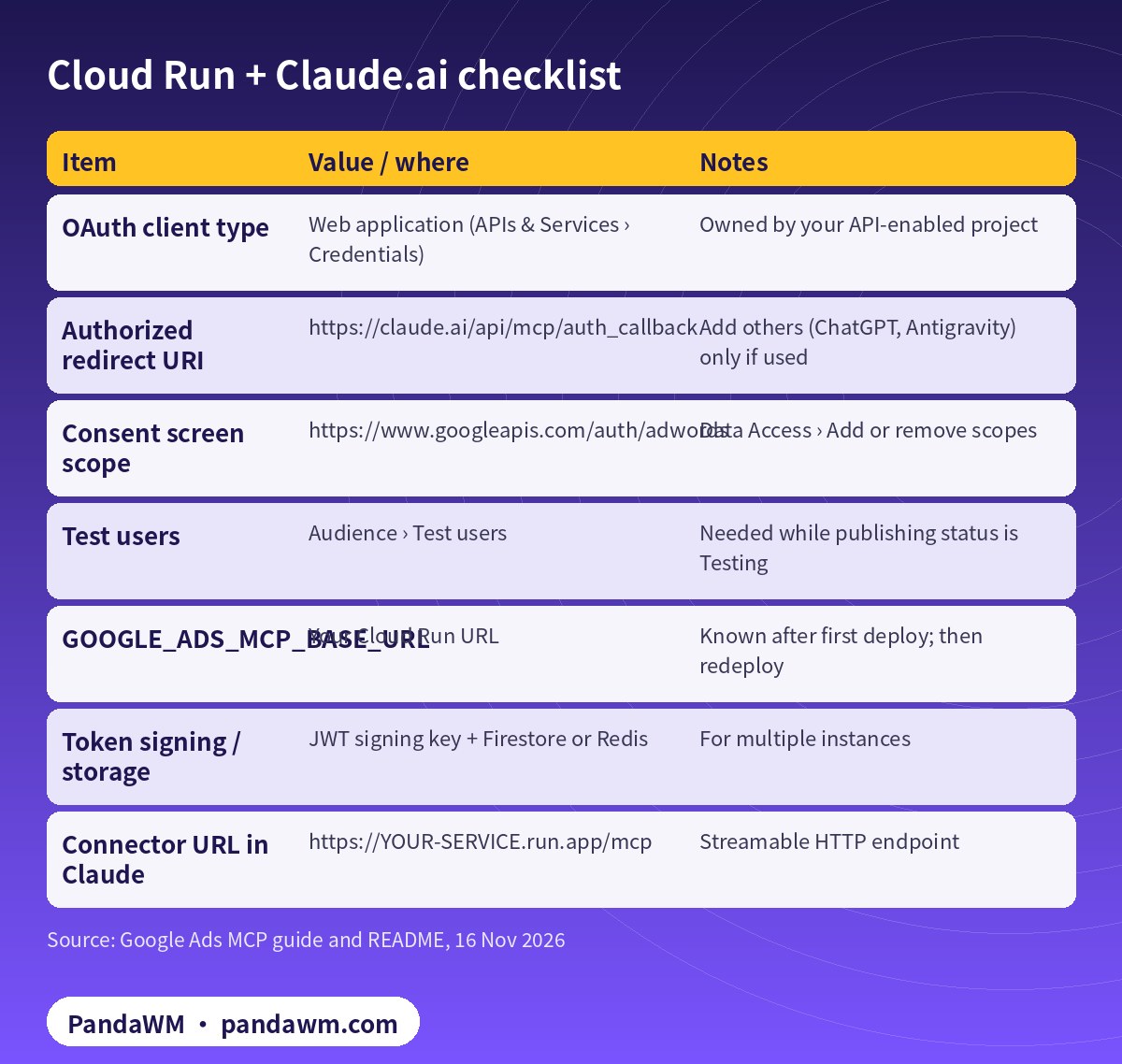
| Item | Value / where | Notes |
|---|---|---|
| OAuth client type | Web application (APIs & Services › Credentials) | Owned by your API-enabled project |
| Authorized redirect URI | https://claude.ai/api/mcp/auth_callback | Add others (ChatGPT, Antigravity) only if used |
| Consent screen scope | https://www.googleapis.com/auth/adwords | Data Access › Add or remove scopes |
| Test users | Audience › Test users | Needed while publishing status is Testing |
| GOOGLE_ADS_MCP_BASE_URL | Your Cloud Run URL | Known after first deploy; then redeploy |
| Token signing / storage | JWT signing key + Firestore or Redis | For multiple instances |
| Connector URL in Claude | https://YOUR-SERVICE.run.app/mcp | Streamable HTTP endpoint |
3. Build and deploy
# Remote (Streamable HTTP) deployment on Cloud Run - OAuth Web client required
gcloud builds submit --tag us-central1-docker.pkg.dev/YOUR_PROJECT_ID/mcp-servers/google-ads-mcp:latest .
# set at deploy time (values from Secret Manager, never in the repo):
#   GOOGLE_PROJECT_ID, GOOGLE_ADS_MCP_OAUTH_CLIENT_ID,
#   GOOGLE_ADS_MCP_OAUTH_CLIENT_SECRET, GOOGLE_ADS_MCP_BASE_URL
# Authorized redirect URIs on the OAuth Web client include, e.g.:
#   https://claude.ai/api/mcp/auth_callback
#   https://chatgpt.com/connector_platform_oauth_redirect
Google’s README deploys with gcloud run deploy … --allow-unauthenticated (the server itself enforces OAuth) and passes settings with --set-env-vars. We recommend keeping the client secret and JWT signing key in Secret Manager and mapping them with --set-secrets instead of plain env vars. Set FASTMCP_HOST=0.0.0.0, and set GOOGLE_ADS_LOGIN_CUSTOMER_ID if access goes through a manager account. Deploy once to get the URL, set GOOGLE_ADS_MCP_BASE_URL, then redeploy.
For more than one instance, configure a JWT signing key and persistent OAuth state storage (Firestore, Redis or filetree). The README warns that Firestore entries are not expired automatically, so schedule a cleanup job.
4. Lock the tool set
A shared server should start read-only, then open assets once your review flow is ready:
# tools_config.yaml - strictly read-only deployment
# (point GOOGLE_ADS_MCP_TOOLS_CONFIG at this file)
namespaces:
  customers: true
  search: true
  metadata: true
  labels: false
  assets: false
The propose-and-confirm checksum protects against parameter drift but does not replace access control, so the read-only config and Google Ads user roles still matter.
5. Add the connector in Claude
- In Claude, open the connector settings and add a custom connector with your server URL ending in
/mcp. - Sign in with a Google account that has access to the Google Ads account (and is a test user while the consent screen is in Testing).
- Ask: “What customers do I have access to?” to confirm.
Custom connector availability and limits differ by Claude plan; check the Claude Help Center for your plan.
Troubleshooting
- redirect_uri_mismatch: the Claude callback is missing from the web client.
- Access blocked / unverified app: add the user as a test user, or complete verification before publishing.
- Callbacks go to localhost: BASE_URL not updated after first deploy.
- CLOUD_PROJECT_NOT_APPROVED_FOR_PRODUCTION: the project owning the OAuth client needs Explorer or higher (
- access levels
- ).
How PandaWM uses Claude, Codex and Google Ads accounts to speed up client ad delivery
This guide focuses on Claude, but in day-to-day client work PandaWM combines Claude, Codex and Google Ads accounts to help companies going global move faster through the repetitive loop of account and conversion setup → campaign builds → ad copy and assets → reports and search terms → budget and negative-keyword changes, so media buyers spend their time on strategy, bidding judgement and creative.
- Ad accounts: the client’s own Google Ads account, or one opened compliantly through PandaWM’s account-opening service. The account belongs to the client and is never rented or shared; multi-account access goes through the client’s own manager account.
- Claude: natural-language reporting (GAQL) through Google’s open-source Google Ads MCP server, impression-share and search-term diagnosis, RSA headline/description and asset drafts, and asset or label creation in propose-and-confirm mode.
- Codex: writing and maintaining google-ads Python scripts (daily reports, search-term clean-up, paused campaign builds, validate_only pre-checks) that run in a sandbox, on a schedule or in CI.
- Human sign-off: a media buyer approves enabling campaigns, budget increases and bid-strategy changes, and a person makes the final call on Google Ads policy and landing-page compliance.
This describes a service capability only. There are no prices or rebates here, and PandaWM is not an official partner of Google, Anthropic or OpenAI. See Google Ads account opening & management (PandaWM service page) for account opening and management.
FAQ
Can Codex use the same remote server?
Yes. Google’s README shows codex mcp add with –url and codex mcp login; Codex needs only the endpoint and its own OAuth sign-in. See Codex config.toml for the Google Ads MCP server.
Is this cheaper or safer than local?
Not inherently. It is more convenient for teams but you must operate the service, patch it and protect its secrets.
Does Google host a shared Google Ads MCP URL?
Not for this server: it is self-hosted. Always check Google’s guide for changes.
What can Claude do once connected?
Read with GAQL, inspect metadata, create assets and manage labels with confirmation. No campaign, budget or bid changes.
Compliance note: Use every workflow in this guide only on Google Ads accounts (including client accounts under a manager account) that your company owns or is formally authorised to manage, through Google’s official Google Ads API, Google’s open-source Google Ads MCP server or official tools such as Google Ads Editor. Follow the Google Ads API Terms and Conditions, API quotas and Google Ads policies, and keep a human review step before anything that can spend money. PandaWM does not sell, rent, share or transfer ad accounts, manager accounts or API credentials, does not help anyone bypass ad review, regional restrictions, identity verification or payment controls, and is not an official partner of Google, Anthropic or OpenAI. Claude and OpenAI services are only offered in their supported countries and regions; the account holder should be an entity legitimately established and operating in a supported region.
Related guides
- Google Ads account opening & management (PandaWM service page)
- Overseas AI Token service: account setup + API access (PandaWM)
- How to connect Claude to Google Ads (step by step)
- Claude Code guardrails for Google Ads: read-only mode and approvals
- Codex config.toml for the Google Ads MCP server
- Google Ads MCP server: let AI agents work on your ads
- Connect the Claude API to the Facebook Marketing API
- Prompt injection explained: enterprise defense
Talk to PandaWM: Google Ads accounts + AI-assisted delivery
Tell us where your company is registered, your industry, target countries, landing page and expected monthly budget, and which part you want to automate first (reporting, search terms, assets or campaign builds). We pre-check eligibility and landing pages, help you open your own Google Ads account compliantly, and wire Claude / Codex into your workflow.
WhatsApp: +852 5904 8602Telegram: @PANDA0134WeChat: szcwh99
Official sources
- Google: Google Ads MCP server – developer integration guide
- GitHub: googleads/google-ads-mcp
- Google: Developer token sunset (2026-09-09) and FAQ
- Google: Google Ads API access levels
- Claude Help Center: custom connectors using remote MCP
- Anthropic: Connect Claude Code to tools via MCP
All official pages checked on 2026-11-16. API versions, tool names and permission requirements change; the official pages prevail.
 微信扫一扫打赏
 支付宝扫一扫打赏