
 熊猫出海编辑团队
Last updated: 2026-11-11
A new Facebook business ad account rarely fails because of the account itself. It struggles because of what happens in the first month: budgets that jump around, ads edited every day, ten small ad sets that never gather enough data, and a daily spending limit nobody planned for. This guide gives a week-by-week plan for the first 30 days, built on Meta’s own explanations of the learning phase, bid strategies and spending limits.
Before launch, make sure your assets are in place with Facebook ad account setup checklist. If you want us to run this plan for you, see our managed service on Facebook ads account opening & management agency (PandaWM service page).
Understand the learning phase first
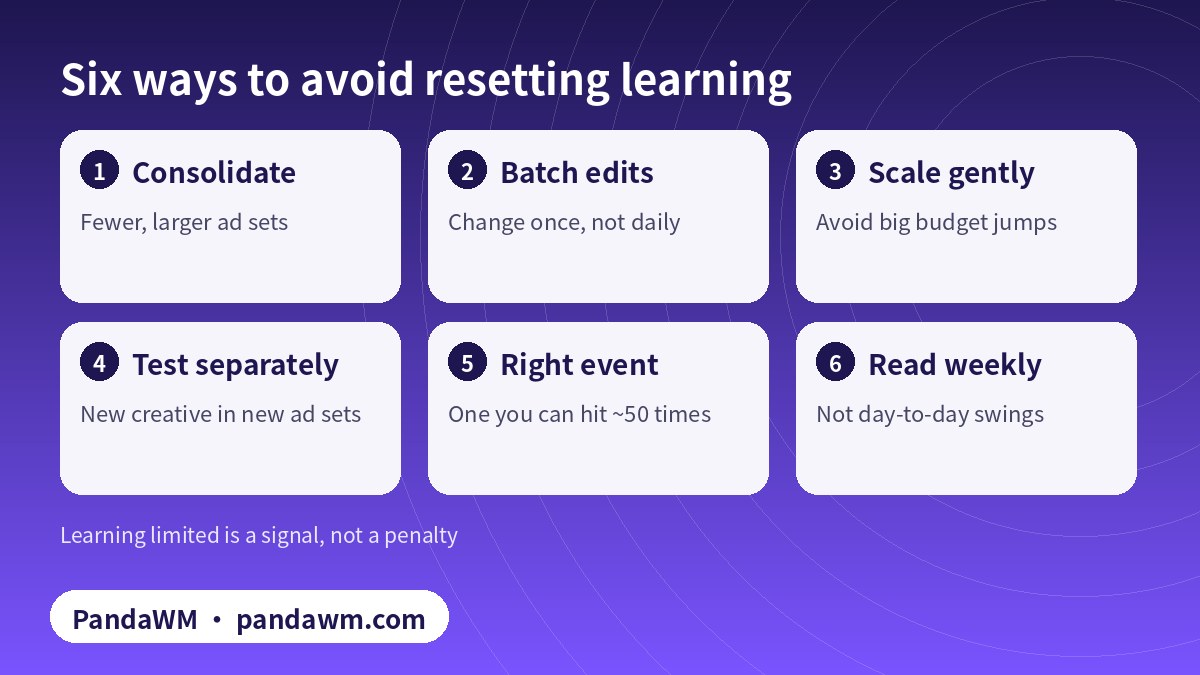
Meta explains that an ad set enters the learning phase when it is new or after a significant edit. During learning, delivery is less stable while the system explores. An ad set generally needs about 50 optimization events within roughly a week of its last significant edit to exit learning (About the learning phase).
Significant edits include changing targeting, changing creative, changing the optimization event, adding a new ad and pausing then restarting. Large budget or bid changes can also count. If an ad set cannot get enough events, it shows “Learning limited”. That is not a penalty; it tells you the ad set does not have enough data. Usual fixes are consolidating ad sets, broadening the audience, raising budget or optimizing for a higher-volume event.
This is the key to a new account: every edit restarts the clock, and every extra ad set divides your data.
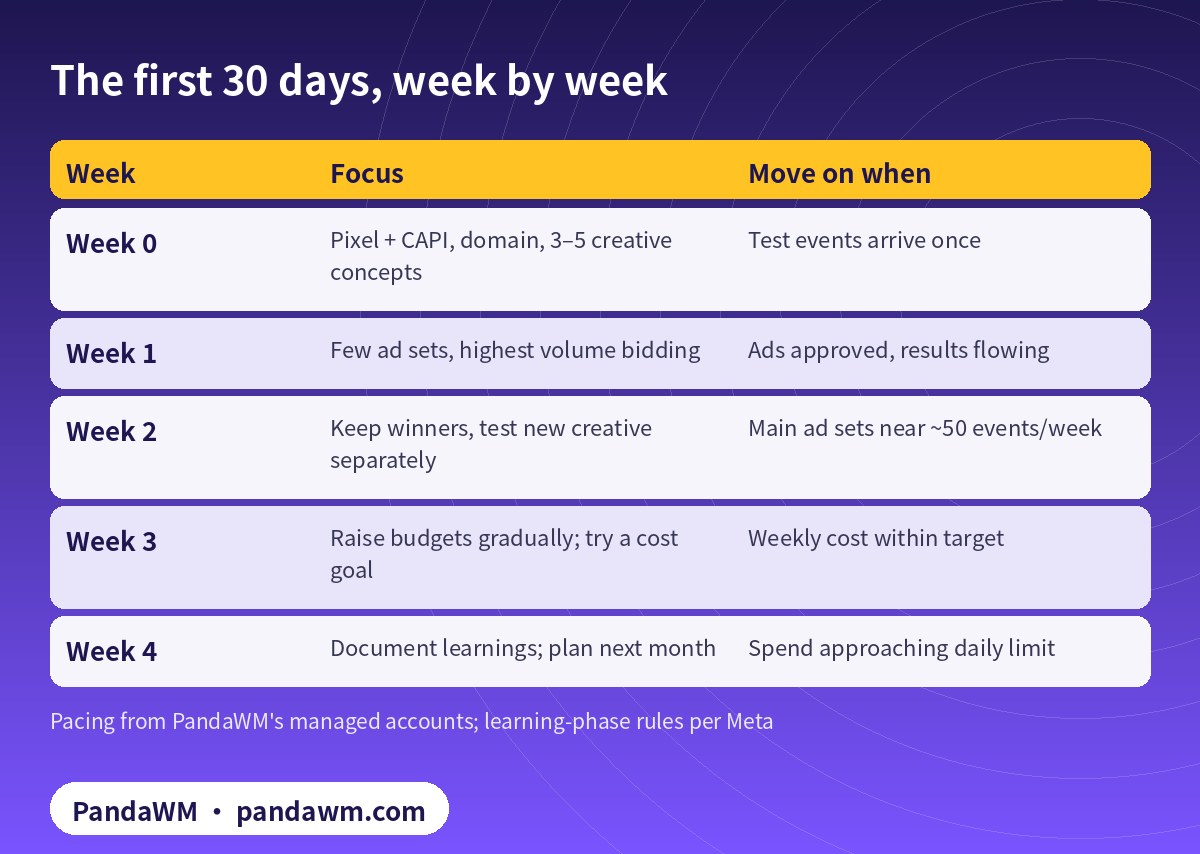
The 30-day plan
| Week | Focus | Move on when |
|---|---|---|
| Week 0 | Pixel + CAPI, domain, 3–5 creative concepts | Test events arrive once |
| Week 1 | Few ad sets, highest volume bidding | Ads approved, results flowing |
| Week 2 | Keep winners, test new creative separately | Main ad sets near ~50 events/week |
| Week 3 | Raise budgets gradually; try a cost goal | Weekly cost within target |
| Week 4 | Document learnings; plan next month | Spend approaching daily limit |
Week 0: before launch
Install the Meta Pixel and connect the Conversions API, with deduplication set up so events are not counted twice (Deduplicate Pixel and server events). Verify your domain. Prepare three to five clearly different creative concepts, so you are not forced to edit live ads to test ideas.
Week 1: few and focused
Start with a small number of ad sets, each with enough budget to reach meaningful volume. A simple way to size it: if your target cost per conversion is about X, an ad set needs roughly 50 × X per week to approach 50 conversions. If that is out of reach for purchases, optimize for an earlier event with more volume, such as add to cart, and move down the funnel later. Leave bidding on the default highest volume.
Week 2: keep, then add
Leave stable ad sets alone. Put new creative into new ad sets or a separate campaign so the ones that are working are not reset. Judge results over seven days, not one.
Week 3: scale gradually and consider cost control
Raise budgets on stable ad sets in moderate steps and give each change a few days. If costs swing too much, try a cost per result goal. Meta advises judging this goal on weekly averages, and says ad sets using cost or ROAS goals with iOS 14.5+ audiences should run at least three full days before you evaluate them (About cost per result goal).
Week 4: write it down
Record which audiences, placements and creative angles worked, set next month’s creative pipeline and budget, and check whether the daily spending limit is now the bottleneck.
Choosing a bid strategy
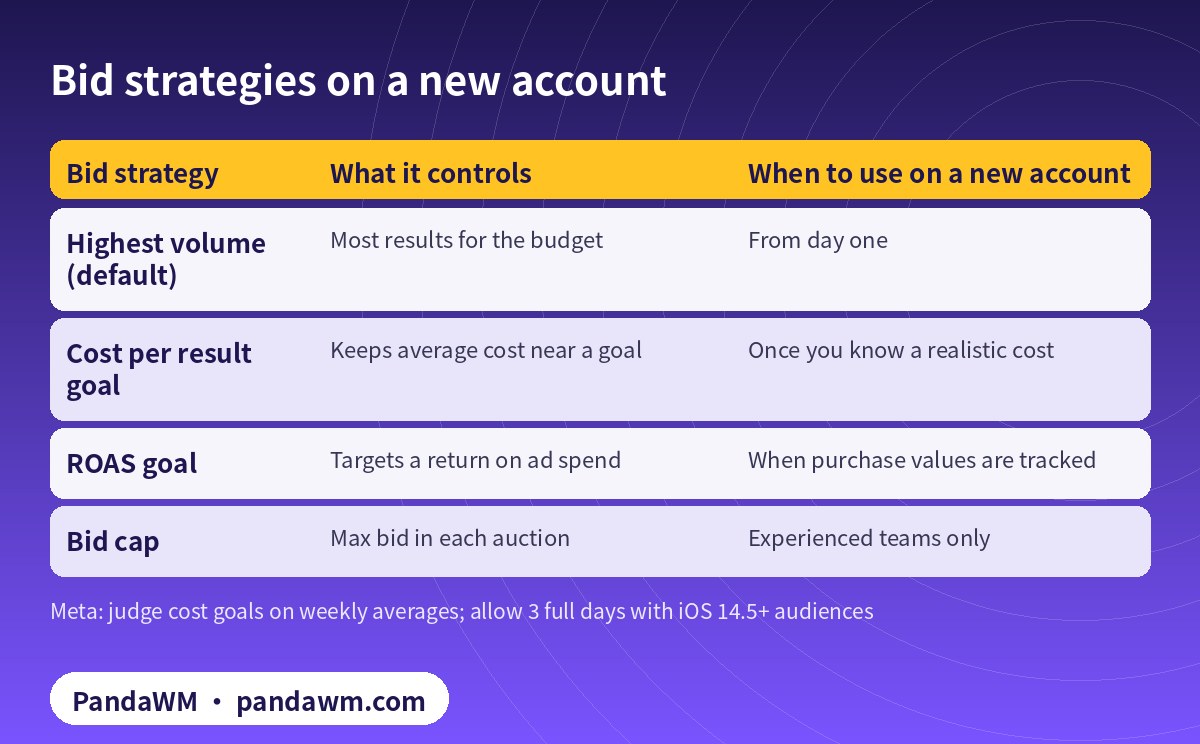
Meta offers highest volume, cost per result goal, ROAS goal and bid cap (About cost and bid controls; Marketing API: bid strategy). On a new account the rule is simple: get volume first, then control cost.
| Bid strategy | What it controls | When to use on a new account |
|---|---|---|
| Highest volume (default) | Most results for the budget | From day one |
| Cost per result goal | Keeps average cost near a goal | Once you know a realistic cost |
| ROAS goal | Targets a return on ad spend | When purchase values are tracked |
| Bid cap | Max bid in each auction | Experienced teams only |
Spending limits on new accounts
New accounts usually have a daily spending limit. Meta sets it from the account’s delivery and payment history. It typically rises automatically when the account follows advertising policies, pays on time and spends at or near the limit. When the limit is reached, ads pause and restart at midnight in the account’s time zone (spending limits explained). The way to raise it is steady, compliant spending with on-time payments. We do not offer unofficial “limit boost” tricks. Billing basics are covered in how Facebook ads cost works.
Avoid resetting learning
What to read in your weekly report
Use the same handful of metrics every week and compare seven-day windows rather than single days:
- Spend and results: when budget goes up, do results go up with it?
- Cost per result: compare with last week’s average, not with your best day.
- Frequency: if the same people see your ads more and more often, you need fresh creative or a wider audience.
- Click-through rate and landing-page conversion rate: they tell you whether the problem is the ad or the website.
- Learning status: are the main ad sets stuck in “Learning limited”?
- Daily spend vs limit: is the account hitting its spending limit?
With these on one page, the next step is usually obvious: add budget, add creative, consolidate, or fix tracking or the site before spending more.
Scaling into new markets
After the first month, many overseas advertisers add countries. Each new market brings its own work: localized creative and landing pages, delivery and customer service that can cope, and category rules that differ by country. Financial products aimed at the US, for example, need the Financial products and services special ad category, with limited targeting options (How to choose a Special Ad Category). Online gambling, even for licensed operators, is not supported in a number of markets. Add new markets as new ad sets or campaigns so your existing learning is not disturbed.
Common first-month mistakes
- Launching with a large budget, then cutting it sharply the next day.
- Splitting one product into a dozen ad sets, all stuck in “Learning limited”.
- Turning ads off after one expensive day.
- Editing a stable ad set to test new creative.
- Double-counting events because pixel and server events are not deduplicated.
- Pushing borderline claims that lead to rejections; see why Facebook ads get rejected and how to fix them.
Account opening only or managed campaigns
With account opening only, your team runs this plan. We hand over the account with its time zone, currency, payment setup and limits documented. With managed campaigns, we handle tracking checks, structure, creative testing and daily optimization, and report weekly. In both cases the usage rights and ad data belong to you. Not sure which account type you need? Read Facebook business ad account vs personal ad account.
FAQ
How long does the Facebook learning phase last?
Meta describes it as roughly a week of delivery with about 50 optimization events after the last significant edit. Low-volume ad sets take longer.
Is “Learning limited” bad for my account?
It is not a penalty. It means the ad set lacks data; consolidate, broaden or raise budget.
How much should a new account spend on day one?
There is no single number. Work back from your target cost so main ad sets can approach about 50 events a week.
When should I switch from highest volume to a cost goal?
Once you have stable data and know what cost is realistic. Judge it weekly.
Can I ask Meta to raise my spending limit?
Limits usually rise automatically with compliant delivery and payment history. Follow any prompts in your account.
Do you guarantee results?
No. We plan from data and Meta’s rules and report results transparently.
Compliance note: PandaWM only helps eligible, licensed or certified businesses open accounts, apply for authorization or verification, and run ads through the platforms’ official processes. We do not sell, rent or transfer ad accounts, and we do not offer ways to bypass review, cloak landing pages or advertise prohibited products. No approval is guaranteed. Platform policies change; the official pages prevail. This article is not legal advice.
Related guides
- Facebook ads account opening & management agency (PandaWM service page)
- Facebook Ads Manager guide
- Facebook ads cost explained
- Facebook ad not approved: fixes
- Facebook business ad account vs personal ad account
- Facebook ad account setup checklist
- 繁體中文:企業戶投放起量
- 简体中文:新户前30天投放计划
Talk to PandaWM about Facebook business ad accounts
Send us where your company is registered, your industry and any licences, your target countries, your landing page or app link and your expected monthly budget. We pre-check eligibility and creatives first, then recommend an account route. Choose one of two models: account opening only (we open the account, set up the business portfolio structure and access; your team runs the ads) or managed campaigns (we also build, test and optimise). Accounts are opened through our agency channel, and the usage rights and all advertising data belong to you. Restricted-category authorizations are only for advertisers holding the required licences. We cannot guarantee any review outcome.
- WhatsApp: https://wa.me/85259048602
- Telegram: https://t.me/PANDA0134
- WeChat: szcwh99 (scan the QR code)

Official sources
- About the learning phase
- About cost and bid controls
- About cost per result goal
- Marketing API: Bid strategy
- 预算、花费限额、预付余额限额和付款门槛之间有何区别
- Deduplicate Pixel and server events
- How to choose a Special Ad Category
Meta pages checked on 2026-11-11. Policies change; the official pages prevail.
 微信扫一扫打赏
 支付宝扫一扫打赏