
 熊猫出海编辑团队
Last updated: 2026-11-11
A Facebook business ad account is only as good as what sits around it. Before the first campaign goes live, you need a business portfolio with the right admins, a Page that matches your brand, a Meta Pixel and Conversions API sending clean events, and a verified domain. Skipping any of these causes problems later: tracking you cannot trust, an account owned by the wrong person, or a website you cannot prove is yours. This checklist follows Meta’s own documentation and the order we use when we set up accounts for clients.
If you are still choosing between account types, read Facebook business ad account vs personal ad account. For the account opening service itself, see Facebook ads account opening & management agency (PandaWM service page).
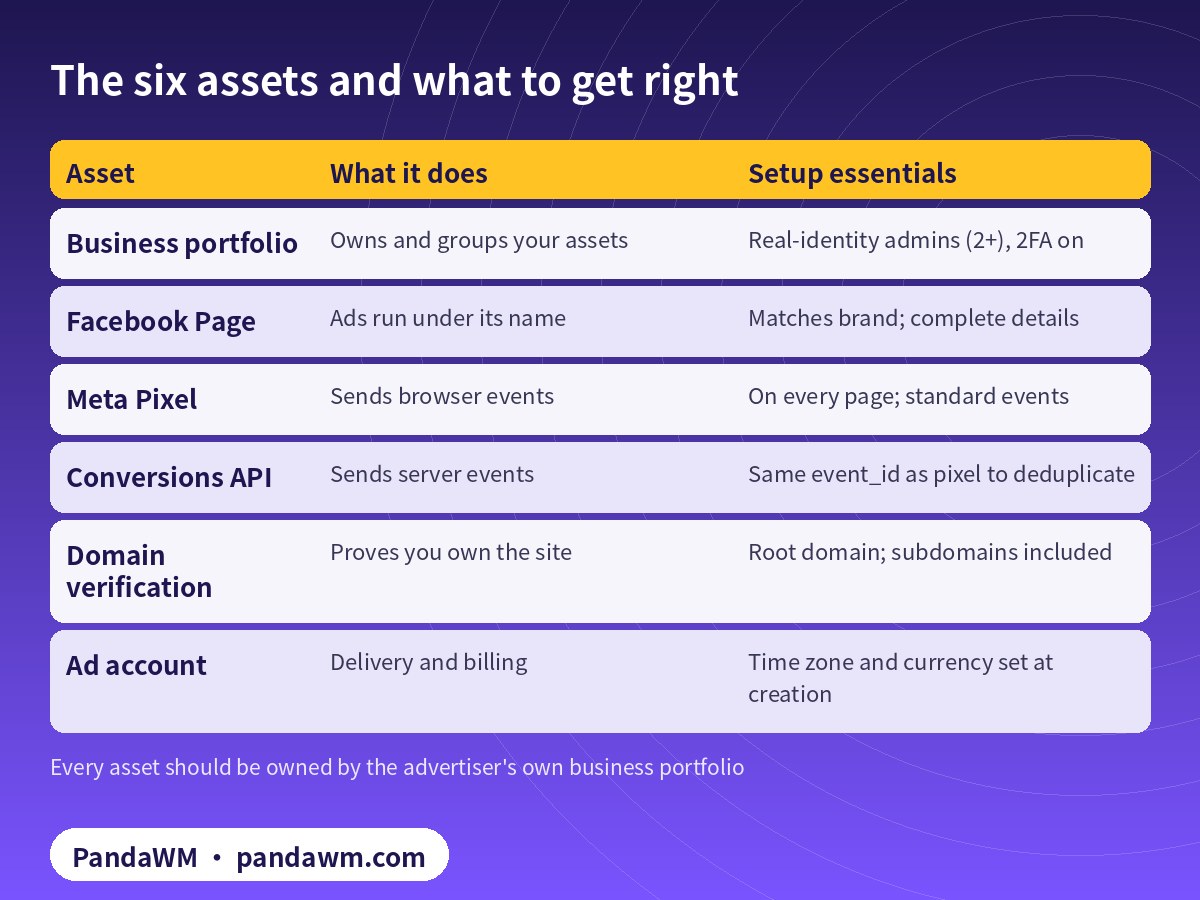
The six assets at a glance
| Asset | What it does | Setup essentials |
|---|---|---|
| Business portfolio | Owns and groups your assets | Real-identity admins (2+), 2FA on |
| Facebook Page | Ads run under its name | Matches brand; complete details |
| Meta Pixel | Sends browser events | On every page; standard events |
| Conversions API | Sends server events | Same event_id as pixel to deduplicate |
| Domain verification | Proves you own the site | Root domain; subdomains included |
| Ad account | Delivery and billing | Time zone and currency set at creation |
1. Business portfolio
- Create it with a real company identity, using the legal name you can prove with documents.
- Add at least two admins who use their real profiles, and turn on two-factor authentication for everyone.
- Give staff and partners role-based access instead of sharing logins. Meta’s account integrity rules prohibit fake or duplicate profiles (Account Integrity).
- Keep the legal name, address and website consistent with your documents, so business verification is straightforward if it is requested. See Meta business verification for overseas advertisers.
Our Ads Manager guide explains how the portfolio, ad accounts, campaigns and ad sets fit together.
2. Facebook Page
Facebook ads run under a Page’s name and profile picture, so the Page is what people see. Use a Page whose name matches the brand on your website, fill in the website, contact details and description, publish some real content, and add the Page to your business portfolio rather than leaving it under one person’s profile.
3. Meta Pixel
The Meta Pixel is code on your website that sends events such as page views, add-to-cart and purchases (Meta Pixel: Get started). Create the pixel inside your business portfolio so the business owns it, install the base code on every page, and set up standard events with value and currency where relevant.
4. Conversions API
The Conversions API sends events from your server directly to Meta, which makes tracking less dependent on the browser (Conversions API: Get started). Many platforms, such as Shopify and WooCommerce, offer official integrations. If you send the same event from both the pixel and the server, give both the same event name and event_id so Meta can deduplicate them (Deduplicate Pixel and server events). Then use the Test Events tool to confirm events arrive once, not twice.
5. Domain verification
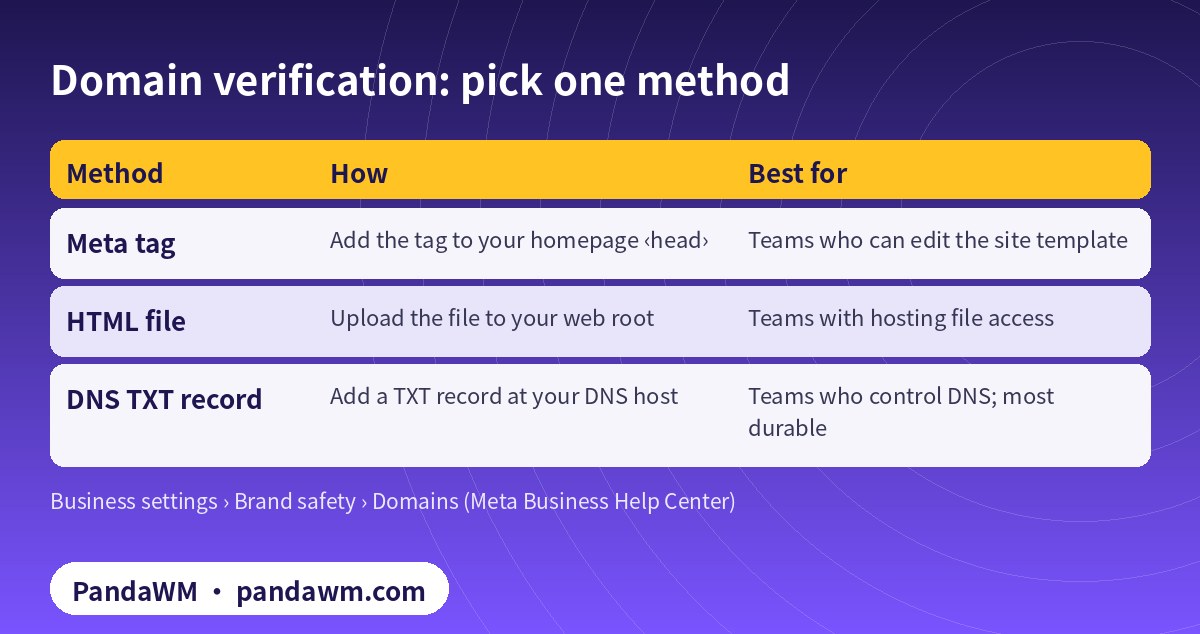
Domain verification proves your business portfolio controls your website. According to Meta, you add your root domain (for example example.com) under Business settings › Brand safety › Domains and choose one verification method (Verify your domain). Verifying the root domain covers its subdomains; a different top-level domain, such as example.co.uk, needs its own verification.
| Method | How | Best for |
|---|---|---|
| Meta tag | Add the tag to your homepage <head> | Teams who can edit the site template |
| HTML file | Upload the file to your web root | Teams with hosting file access |
| DNS TXT record | Add a TXT record at your DNS host | Teams who control DNS; most durable |
Meta’s developer documentation lists common failures (Domain verification: Debugging):
- Domain already verified by another business. Often a former agency or web developer verified it. Contact that portfolio’s admin to share or transfer it through the official flow.
- TXT record mismatch. Copy the full value, add it at the root, and allow time for DNS to update.
- File not found. The file must be reachable directly at your root URL, not blocked by a firewall or login.
- Invalid redirect. Redirects to www or between http and https are fine; redirects to another domain are not.
6. The ad account
Whether you create the ad account yourself or it is opened through an agency channel, confirm three things before it is created. The time zone matters because daily budgets and spending limits reset at midnight in the account’s time zone (spending limits). Pick a currency that suits your billing and reporting. Set access by role: campaign roles for media buyers, billing access for finance, and minimal access for outside partners. Add a payment method next; see how to set up payment on Facebook ads.
Who should own what
The simplest rule is that the advertiser owns everything and partners get access. Your company’s portfolio should own the Page, pixel, catalog, verified domain and ad accounts. An agency, freelancer or developer should be added as a partner with the roles they need, and removed when the work ends. This matters most when you change agencies: if a former partner owns your pixel or verified domain, you lose data history and have to ask them for access. When PandaWM opens an account through our agency channel, the usage rights and ad data belong to you, and we work through partner access rather than owning your assets.
Common setup mistakes
- Creating the pixel in a personal ad account, then finding it cannot be moved cleanly to the business.
- Installing the pixel through a plugin and again by hand, so every event fires twice.
- Sending server events without event_id, so Meta cannot deduplicate them against browser events.
- Verifying www.example.com instead of the root domain, or verifying only one of several country domains.
- Leaving one admin on the portfolio, who then goes on leave or changes jobs.
- Choosing the ad account time zone without thinking about reporting and budget resets.
- Launching before the privacy policy and contact pages are live, which invites rejections.
Each of these is easy to avoid at the start and slow to fix after campaigns are running, which is why we always set up assets before the first ad set.
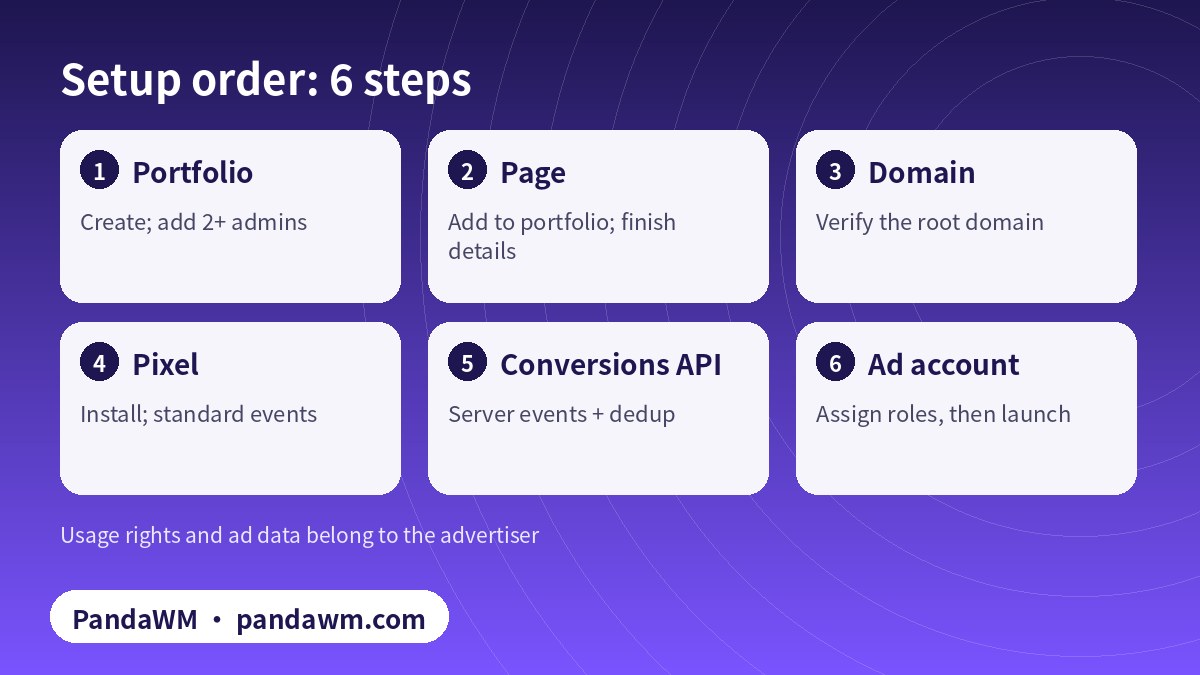
Setup order
Pre-launch checklist
- ☐ Portfolio has two or more admins, all with 2FA.
- ☐ Page, pixel and ad account sit in the same portfolio.
- ☐ Domain shows as Verified.
- ☐ Pixel fires on all pages; purchase events include value and currency.
- ☐ Conversions API connected; Test Events shows no duplicates.
- ☐ Ad account time zone, currency and payment method confirmed.
- ☐ Website has a privacy policy and contact details and follows the Meta Advertising Standards.
- ☐ If your product is in a restricted category, authorization is in place. See restricted-vertical authorization explained.
With everything ticked, plan the first weeks of delivery: First 30 days on a new Facebook business ad account.
FAQ
Do I need a Facebook Page to run ads?
Facebook ads run under a Page’s identity, so prepare a Page that matches your brand.
Is the Conversions API required?
It is not mandatory, but using it alongside the pixel with proper deduplication gives Meta more complete event data.
Is domain verification required to open an ad account?
Not always, but it proves ownership of your site and is worth doing before launch.
Should our agency create the business portfolio?
No. Your company should own the portfolio; an agency gets partner access to what it needs.
A previous agency verified our domain. What now?
Ask that portfolio’s admin to share or transfer it using Meta’s process.
Can PandaWM set this up for us?
Yes, with your permission, or we can guide your developers. Every asset stays owned by you.
Compliance note: PandaWM only helps eligible, licensed or certified businesses open accounts, apply for authorization or verification, and run ads through the platforms’ official processes. We do not sell, rent or transfer ad accounts, and we do not offer ways to bypass review, cloak landing pages or advertise prohibited products. No approval is guaranteed. Platform policies change; the official pages prevail. This article is not legal advice.
Related guides
- Facebook ads account opening & management agency (PandaWM service page)
- Facebook Ads Manager guide
- How to set up payment on Facebook ads
- Facebook ads account opening guide 2026
- Facebook business ad account vs personal ad account
- Meta business verification for overseas advertisers
- First 30 days on a new Facebook business ad account
- 繁體中文:企業戶建置清單
- 简体中文:Facebook域名验证教程
Talk to PandaWM about Facebook business ad accounts
Send us where your company is registered, your industry and any licences, your target countries, your landing page or app link and your expected monthly budget. We pre-check eligibility and creatives first, then recommend an account route. Choose one of two models: account opening only (we open the account, set up the business portfolio structure and access; your team runs the ads) or managed campaigns (we also build, test and optimise). Accounts are opened through our agency channel, and the usage rights and all advertising data belong to you. Restricted-category authorizations are only for advertisers holding the required licences. We cannot guarantee any review outcome.
- WhatsApp: https://wa.me/85259048602
- Telegram: https://t.me/PANDA0134
- WeChat: szcwh99 (scan the QR code)

Official sources
- Account Integrity (Community Standards)
- Meta Pixel: Get started
- Conversions API: Get started
- Deduplicate Pixel and server events
- Verify your domain in your business portfolio
- Domain verification: Debugging
- 预算、花费限额、预付余额限额和付款门槛之间有何区别
- Meta Advertising Standards
Meta pages checked on 2026-11-11. Policies change; the official pages prevail.
 微信扫一扫打赏
 支付宝扫一扫打赏