
 熊猫出海编辑团队
Last updated: 16 November 2026. Meta, Anthropic and OpenAI documentation checked that day.
You can connect Claude to your Facebook ad account in about 15 minutes, using Meta’s own ads MCP server at https://mcp.facebook.com/ads. Meta hosts it and says it works with any MCP-compatible AI agent (ads MCP server overview). Once connected, Claude can read reports, list accounts and Pages, preview ads and draft campaigns, and new campaigns stay paused until you approve them. This is the step-by-step version; for the API route, see connecting the Claude API with a system user token.
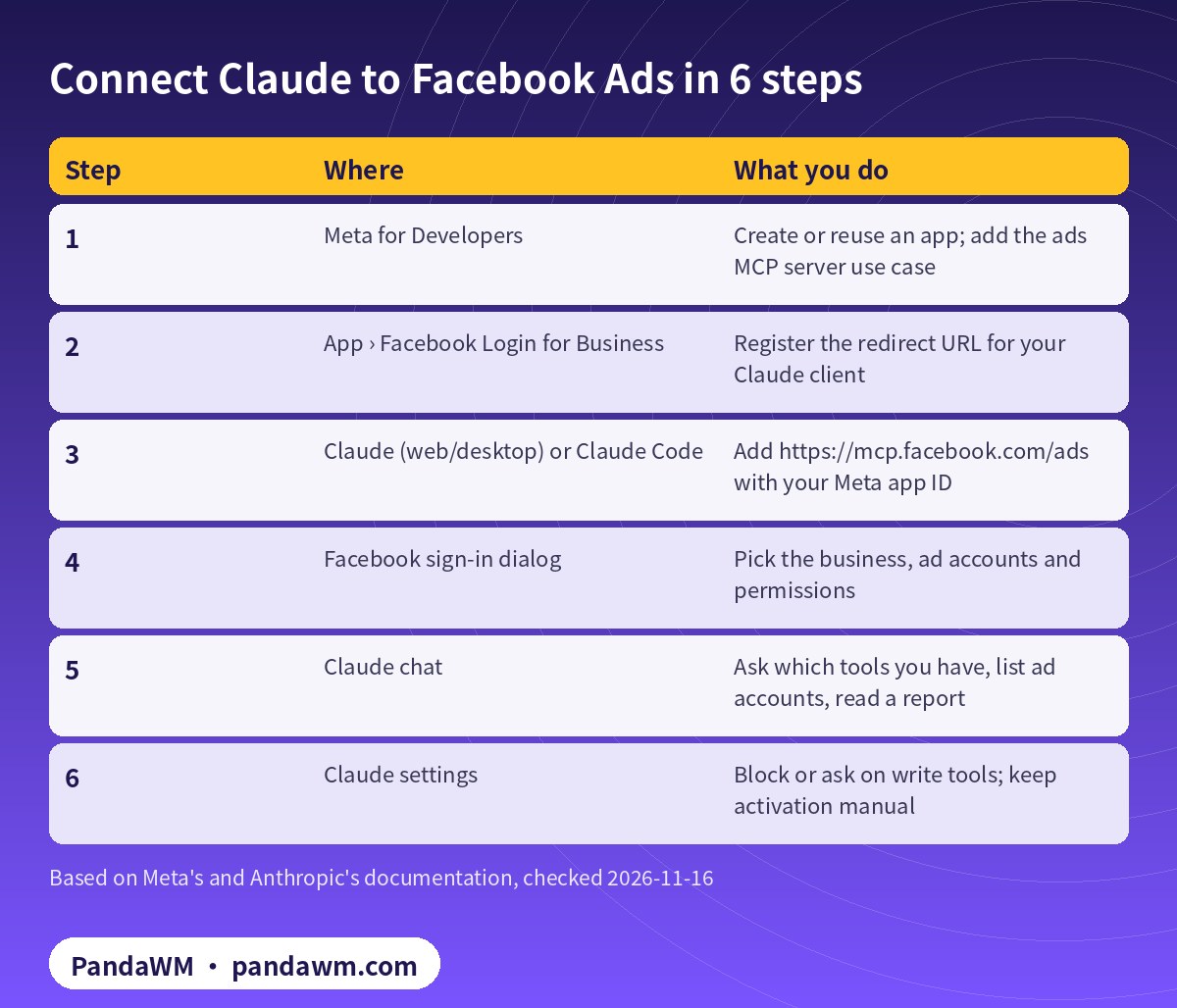
The 6 steps
| Step | Where | What you do |
|---|---|---|
| 1 | Meta for Developers | Create or reuse an app; add the ads MCP server use case |
| 2 | App › Facebook Login for Business | Register the redirect URL for your Claude client |
| 3 | Claude (web/desktop) or Claude Code | Add https://mcp.facebook.com/ads with your Meta app ID |
| 4 | Facebook sign-in dialog | Pick the business, ad accounts and permissions |
| 5 | Claude chat | Ask which tools you have, list ad accounts, read a report |
| 6 | Claude settings | Block or ask on write tools; keep activation manual |
Step 1: create or reuse a Meta app
Go to developers.facebook.com/apps, open or create an app, and add the use case Create & manage ads with ads MCP server (under Ads and monetization) (get started, Meta developer blog). If you manage ads for other businesses, as an agency does, also submit the app for review and request Advanced Access on ads_mcp_management.
Meta notes that owning an app isn’t strictly required and links to a separate setup for Meta ads AI connectors (Meta Business Help Center). We haven’t walked through that path here; follow Meta’s page if you use it.
Step 2: register the redirect URL
Meta asks you to set your app’s redirect URL in the Facebook Login for Business settings to match your MCP client. For Claude on the web or desktop with your own OAuth client, Anthropic says to register https://claude.ai/api/mcp/auth_callback (Claude custom connectors).
Step 3a: Claude on the web or desktop
- Open Customize › Connectors, click Add, then Custom › Web. On Team and Enterprise plans, an Owner adds it in Organization settings first.
- Name it “Meta Ads” and enter
https://mcp.facebook.com/ads. - Under OAuth client, choose “Use your own OAuth client” and enter your Meta app ID as the Client ID.
- Add it, then click Connect.
Custom connectors connect from Anthropic’s cloud, not your device, and Free plans are limited to one custom connector. Menu labels may change; Anthropic’s help page is the reference.
Step 3b: Claude Code
Meta’s ads MCP page gives the base command. Meta’s client guide adds that with your own app ID you should fix the callback port with --callback-port, register http://localhost:<PORT>/callback in the app, and never pass a client secret, because Meta’s MCP servers are public OAuth clients using PKCE (get started, connect an MCP client):
# Claude Code: add Meta's hosted ads MCP server with your own Meta app ID (OAuth, PKCE)
# Fix the callback port and register http://localhost:8080/callback in your Meta app.
claude mcp add --transport http --client-id <META_APP_ID> --callback-port 8080 \
  meta-ads https://mcp.facebook.com/ads          # never pass --client-secret

claude mcp login meta-ads    # or run /mcp inside Claude Code to sign in
claude mcp list              # should show: Connected
claude mcp list then shows whether the server is connected or needs authentication (Claude Code MCP).
Step 4: approve permissions
At minimum the token needs ads_mcp_management plus ads_read or ads_management. Extra permissions such as catalog_management, business_management, pages_show_list and instagram_basic unlock more tools. If you use a system user token instead of OAuth, it must be an Employee-role system user; Admin-role tokens are not supported (get started).
Step 5: test with safe prompts
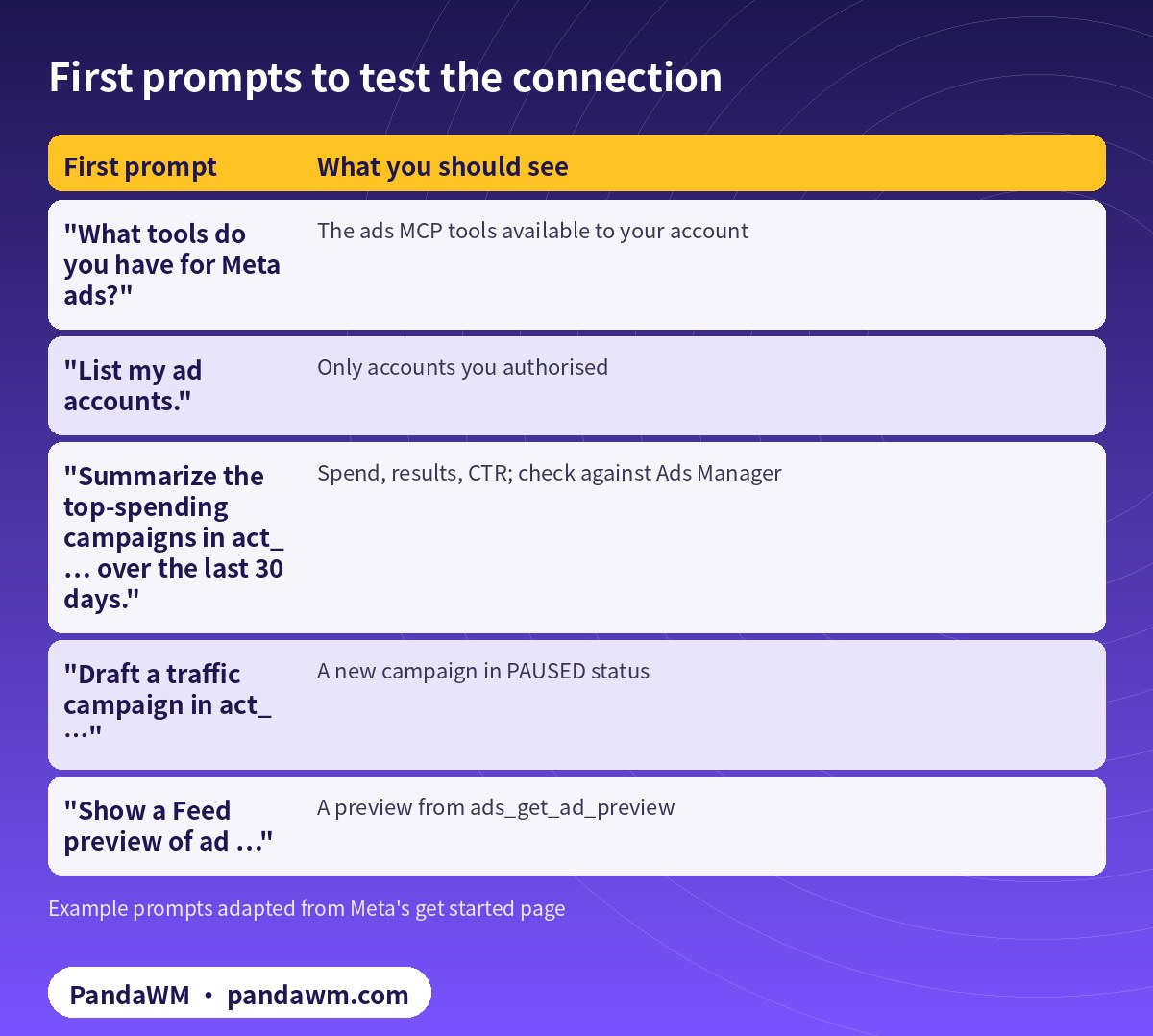
| First prompt | What you should see |
|---|---|
| “What tools do you have for Meta ads?” | The ads MCP tools available to your account |
| “List my ad accounts.” | Only accounts you authorised |
| “Summarize the top-spending campaigns in act_… over the last 30 days.” | Spend, results, CTR; check against Ads Manager |
| “Draft a traffic campaign in act_…” | A new campaign in PAUSED status |
| “Show a Feed preview of ad …” | A preview from ads_get_ad_preview |
Meta is rolling tools out to ad accounts gradually, so start by asking Claude which tools it has (Meta developer blog).
Step 6: lock down writes
Write tools create campaigns, ad sets and ads as paused, and your client asks before activation (tools). We go further. In Claude Code, deny activation and ask before creates and edits:
// .claude/settings.json - read freely, ask before writes, never activate
{
  "permissions": {
    "allow": [
      "mcp__meta-ads__ads_get_ad_accounts",
      "mcp__meta-ads__ads_get_ad_entities",
      "mcp__meta-ads__ads_get_ad_preview"
    ],
    "ask": [
      "mcp__meta-ads__ads_create_campaign",
      "mcp__meta-ads__ads_create_ad_set",
      "mcp__meta-ads__ads_create_ad",
      "mcp__meta-ads__ads_update_entity"
    ],
    "deny": [
      "mcp__meta-ads__ads_activate_entity"
    ]
  }
}
On Claude web and desktop, review the connector’s tool permissions in its settings and keep write tools on ask. For hooks and SDK approvals, see Claude Agent SDK guardrails.
What to do next
- Automate reporting and budget rules with Claude
- The full Claude automation pipeline (Chinese)
- What Meta’s ads MCP server is and what it can do
How PandaWM uses Claude, Codex and Facebook ad accounts to speed up client ad delivery
This guide focuses on Claude, but in day-to-day client work PandaWM combines Claude, Codex and Facebook business ad accounts to help companies going global move faster through the repetitive loop of account setup → campaign structure → creatives → reporting → budget changes, so media buyers spend their time on strategy and creative judgement.
- Ad accounts: the client’s own Facebook ad account, or a business ad account opened compliantly through PandaWM’s account-opening service. The account belongs to the client and is never rented or shared.
- Claude: reading long docs and reports, drafting media plans and ad copy, drafting campaign structures in a paused state through Meta’s ads MCP server, and rule-based anomaly checks.
- Codex: writing and maintaining automation scripts (Marketing API, Insights reports, bulk uploads, budget rules) that run in a sandbox, on a schedule or in CI.
- Human sign-off: anything that spends money (activating ads, raising budgets) is approved by a media buyer, and a person makes the final call on Meta policy and creative compliance.
This describes a service capability only. There are no prices or rebates here, and PandaWM is not an official partner of Meta, Anthropic or OpenAI. See Facebook ads account opening & management (PandaWM service page) for account opening and management.
FAQ
Is there an official Meta integration for Claude?
Meta hosts the ads MCP server and documents Claude Code setup on its developer site.
Do I need Claude Pro?
Anthropic says custom connectors are available on its paid plans and on Free, where you are limited to one custom connector. Check Anthropic’s plans page for current details.
Can Claude spend money on its own?
New objects are paused and activation needs confirmation. Block the activation tool if you want it fully manual.
Why does my system user token fail?
Most often it’s an Admin-role system user or it’s missing ads_mcp_management.
Which countries can use Claude?
Anthropic lists supported countries and regions. Mainland China and Hong Kong aren’t on that list.
Compliance note: Use every workflow in this guide only on ad accounts, Pages and pixels that your company owns or is formally authorised to manage, through Meta’s official Marketing API, the ads MCP server or Ads CLI, with Business Manager system users and least-privilege permissions. Respect Meta’s rate limits and Advertising Standards, and keep a human review step before anything that can spend money. PandaWM does not sell, rent, share or transfer ad accounts, Business Managers or API keys, does not help anyone bypass ad review, regional restrictions, KYC, business verification or payment controls, and is not an official partner of Meta, Anthropic or OpenAI. Claude and OpenAI services are only offered to customers in their supported countries and regions; the account holder should be an entity legitimately established and operating in a supported region.
Related guides
- Facebook ads account opening & management (PandaWM service page)
- Overseas AI Token service: account setup + API access (PandaWM)
- Connect the Claude API to the Facebook Marketing API with a system user token
- Claude Agent SDK guardrails for Meta ads automation
- Codex config.toml for Meta ads MCP: approvals and guardrails
- Meta ads MCP server: let AI agents manage your ads
- How to get a Claude (Anthropic) API key
- Facebook ad account setup checklist
Talk to PandaWM: Facebook ad accounts + AI-assisted delivery
Tell us where your company is registered, your industry, target countries, landing page and expected monthly budget, and which part you want to automate first (account structure, creatives, reporting or budget rules). We pre-check eligibility and creatives, help you open a compliant Facebook business ad account, and build Claude or Codex workflows that run on your own accounts. We never sell, rent or share ad accounts.
WhatsApp: +852 5904 8602Telegram: @PANDA0134WeChat: szcwh99
Official sources
- Meta: Ads MCP server overview
- Meta: Connect an MCP client to Meta
- Meta: Ads MCP server – get started
- Meta for Developers blog: ads MCP server available for developers (2026-07-16)
- Meta: Ads MCP server – ad creation and management tools
- Meta Business Help Center: Meta ads AI connectors
- Claude Help Center: custom connectors using remote MCP
- Anthropic: Connect Claude Code to tools via MCP
- Anthropic: Claude Code permissions
- Anthropic: Supported regions
All official pages checked on 2026-11-16. API versions, tool names and permission requirements change; the official pages prevail.
 微信扫一扫打赏
 支付宝扫一扫打赏