 熊猫出海编辑团队
Last updated: 23 November 2026 · PandaWM (pandawm.com)
Short answer: you cannot edit the daily spending limit Meta sets on your ad account yourself. According to Meta, it sets a daily spending limit for most advertisers based on their ad and payment history, and the limit usually goes up automatically when you follow the Advertising Standards and consistently spend close to it. Eligible accounts may see a prompt in payment settings to verify a payment method or business for a faster increase; if you still need more after verifying, you can contact Meta support to check whether you qualify for an additional increase. “How many ad accounts can one Business Portfolio have” is a different limit. Everything here follows Meta’s official pages, which take precedence if they change.
Also available in: 简体中文 | 繁體中文
Budget pacing for a new account is in New Facebook business ad account: a 30-day launch and scaling plan; how Meta charges and bills is in Facebook ads cost: how Meta charges and how to set a budget; payment setup and errors are in How to set up payment on Facebook ads. Service page: Facebook ad account opening & management (PandaWM service page).
1. Three “limits” people confuse
| Limit | Set by | What it is | Can you change it? |
|---|---|---|---|
| Daily spending limit | Meta | Maximum an ad account can spend per day; ads pause when reached and it resets at 12:00 a.m. in the account’s time zone | Not directly; use the official paths |
| Account spending limit | You | A cumulative cap you set on an ad account; ads pause when reached | Yes: set, change or remove it |
| Ad account creation limit | Meta | How many ad accounts a Business Portfolio can create | Not directly; adjusts with ad and payment history |
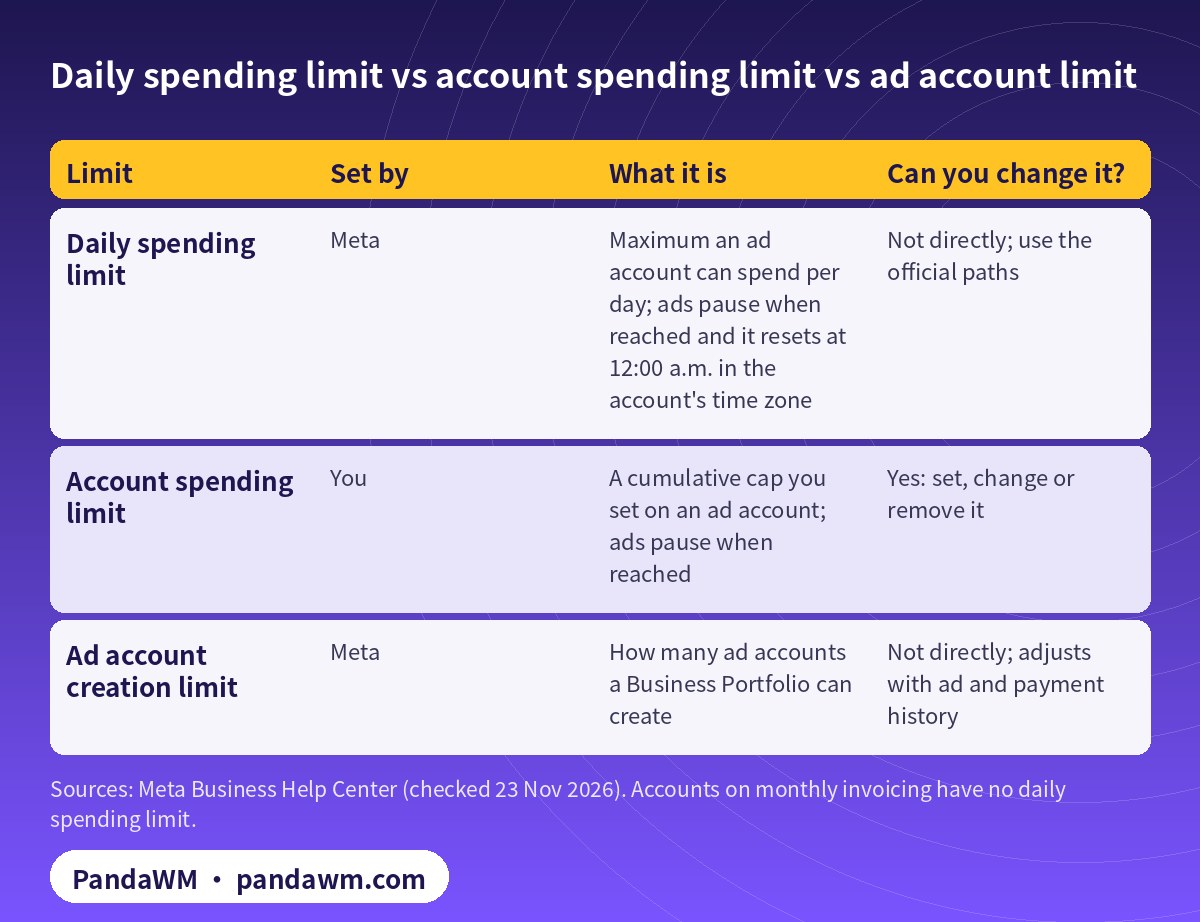
Sources: Meta: How budgets, spending limits, prepaid balance limits and payment thresholds differ, Meta: Billing and payments.
2. How to increase the Facebook daily spending limit: 3 official paths
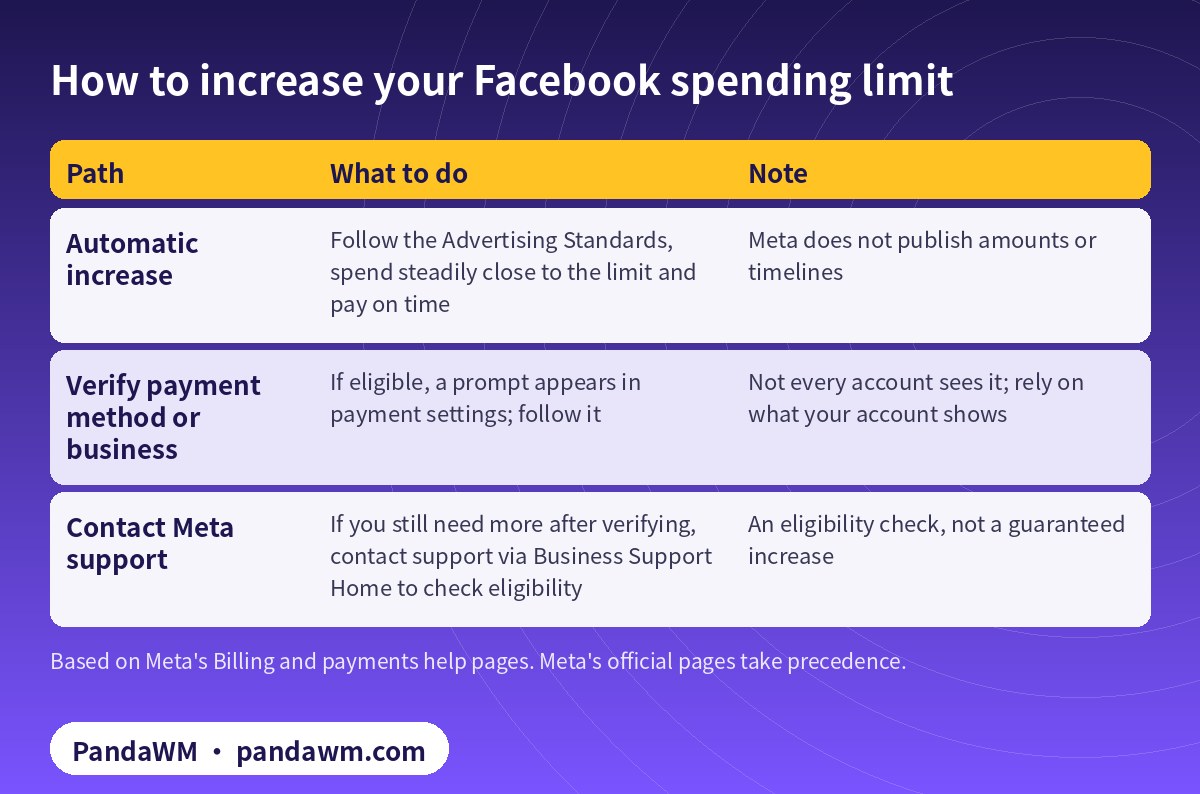
| Path | What to do | Note |
|---|---|---|
| Automatic increase | Follow the Advertising Standards, spend steadily close to the limit and pay on time | Meta does not publish amounts or timelines |
| Verify payment method or business | If eligible, a prompt appears in payment settings; follow it | Not every account sees it; rely on what your account shows |
| Contact Meta support | If you still need more after verifying, contact support via Business Support Home to check eligibility | An eligibility check, not a guaranteed increase |
Where to look: the ad account’s payment settings, in the current balance area. If you manage several accounts, check each one — limits differ by account.
3. Why a limit drops or starts low
- A new Business Portfolio, ad account, Page or app.
- Violations of Meta’s Advertising Standards or other terms and policies.
- Low ad quality rankings, or low feedback scores for the Page or app.
So a new account usually starts with a lower limit and builds history; do not expect a new account to inherit an old account’s limit.
4. How many ad accounts can a Business Portfolio have?
Meta sets an ad account creation limit for each Business Portfolio. According to the Meta Business Help Center, a new portfolio can usually create one ad account before payment is confirmed, up to three once it has run ads and paid, and after that the limit adjusts with spend history and how existing accounts are used. Closed ad accounts still count. Check the current limit in your portfolio settings — Meta’s page is authoritative (Meta: Ad account limits).
5. Checklist before asking for a higher limit
- Any recent ad rejections, account restrictions or failed payments? Fix those first.
- Do you actually spend close to the limit every day? Spending far below it is a weak signal.
- Does payment settings show a prompt to verify a payment method or business?
- Are ad quality rankings or Page feedback low? Improve creatives and landing pages first.
- Would splitting by market or brand across several accounts be better than relying on one account’s limit?
FAQ
What is the Facebook daily spending limit?
Meta does not publish a standard starting amount; it differs by account. Check the current balance area of your payment settings.
Does business verification guarantee a higher limit?
No. Meta only says eligible accounts can get a faster increase; it does not promise amounts or timing.
Which applies first, the account spending limit or the daily spending limit?
Ads pause when either is reached. The daily limit resets the next day; your account spending limit stays until you change or remove it.
Can I open more accounts instead of raising the limit?
Splitting accounts by brand or market is normal account management, but using new accounts to get around restrictions you have received is not allowed.
How is the limit raised on an agency account?
The same Meta rules apply: compliant, steady spend and timely payment. When verification or support contact is needed, the account admin follows the prompts shown.
More in this series: What drives Facebook ad account opening costs; Disabled Facebook ad account: how to appeal; Facebook ad account review time and rejection reasons.
Related guides
- Facebook ad account opening & management (PandaWM service page)
- New Facebook business ad account: a 30-day launch and scaling plan
- Facebook ads cost: how Meta charges and how to set a budget
- How to set up payment on Facebook ads
- Facebook Ads Manager and Business Portfolio explained
Sources
- Meta Business Help Center: How budgets, spending limits, prepaid balance limits and payment thresholds differ
- Meta Business Help Center: Billing and payments (incl. how to increase your daily spending limit)
- Meta Business Help Center: Ad account limits
- Meta Business Help Center: Set a daily budget or account spending limit
Public pages checked on 23 November 2026. Meta updates its rules; the official pages always take precedence.
Compliance note: PandaWM helps legitimate, eligible businesses open, verify and run Facebook ad accounts through Meta’s official processes and agency channels. Agency ad accounts are opened in the agency’s name, but the client keeps the right to use the account and owns its ad data; we do not buy, sell, rent or share ad accounts, and we do not offer ways to bypass ad review, KYC, business verification, regional restrictions or cloaking. We do not promise that an account will never be restricted. Fees, timing and eligible markets are assessed case by case; Meta’s official pages take precedence. This article is not legal advice.
Talk to PandaWM
Planning to scale across several markets or brands? PandaWM helps plan and open compliant business ad accounts through agency channels, opened in the agency’s name and shared to your own Business Portfolio. We do not promise limit increases; Meta decides those.
WhatsApp +852 5904 8602Telegram @PANDA0134Facebook account opening service
WeChat: szcwh99 (scan the QR code below). Tell us your industry, target countries and budget range. Never send passwords, verification codes or card details in chat.

 微信扫一扫打赏
 支付宝扫一扫打赏