 熊猫出海编辑团队
Last updated: 27 November 2026 · PandaWM (pandawm.com)
The short version: when ad accounts are scarce, first identify whether you cannot open a new account, live spend has been stopped, or Pages and the portfolio have been restricted — then follow the seven steps below. Do not start by buying an account or hopping to a new one. Why November 2026 felt like a “no account available” month is covered in November 2026: why Meta advertisers say no ad accounts are available. This article is a same-day checklist, not another opening-requirements guide and not a step-by-step Alipay tutorial.
Also available in: 简体中文 | 繁體中文
The legitimate opening entry points are Facebook overseas “sanbuxian” ad accounts and Facebook overseas ad accounts. For spending limits see how to increase a Facebook spending limit (Chinese); for official appeals see disabled ad account appeal.
The other two articles in this series: November 2026: why Meta advertisers say no ad accounts are available; China vs overseas Meta ad accounts after Alipay verification.
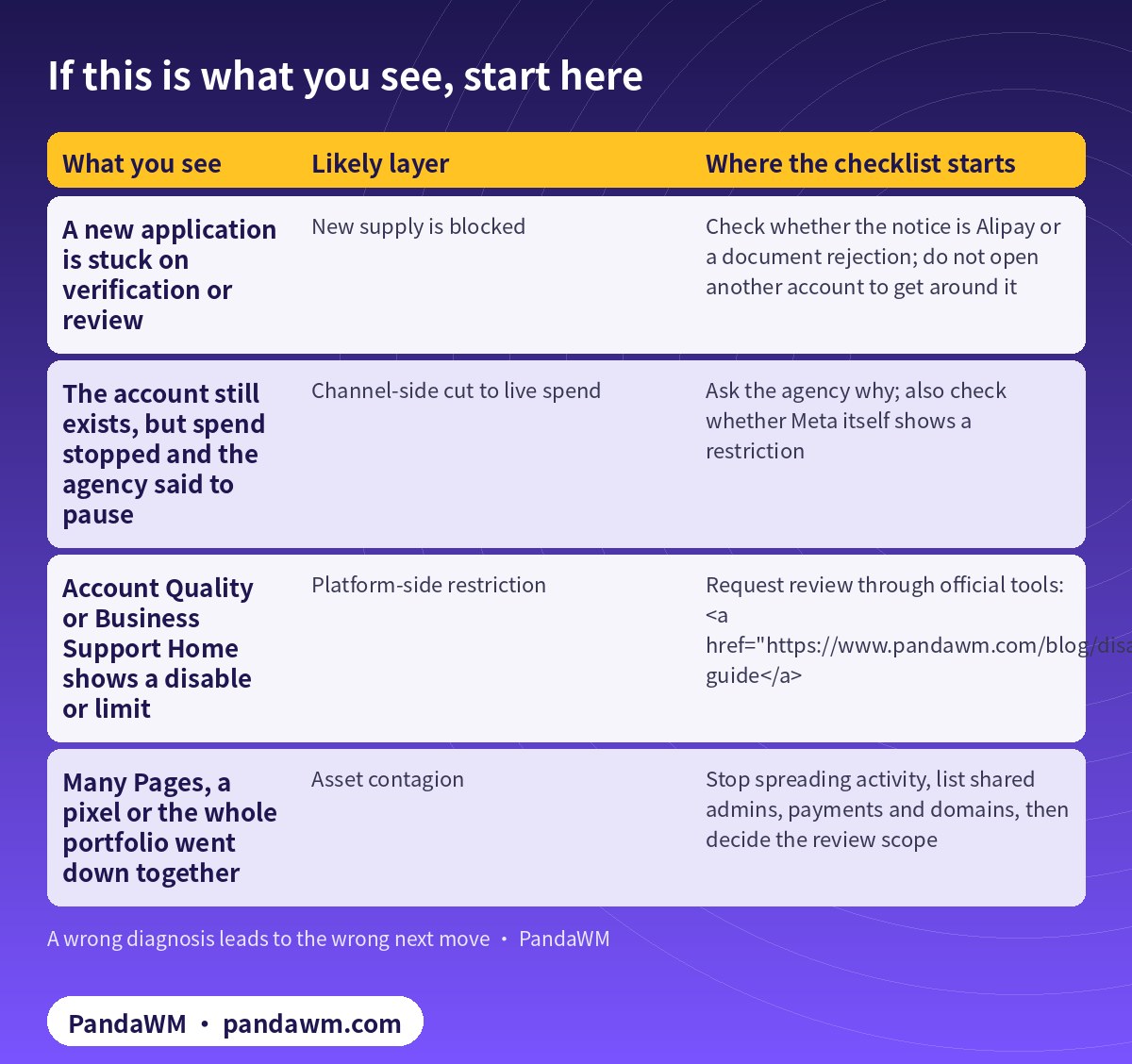
1. Take three minutes to identify the layer
| What you see | Likely layer | Where the checklist starts |
|---|---|---|
| A new application is stuck on verification or review | New supply is blocked | Check whether the notice is Alipay or a document rejection; do not open another account to get around it |
| The account still exists, but spend stopped and the agency said to pause | Channel-side cut to live spend | Ask the agency why; also check whether Meta itself shows a restriction |
| Account Quality or Business Support Home shows a disable or limit | Platform-side restriction | Request review through official tools: appeal guide |
| Many Pages, a pixel or the whole portfolio went down together | Asset contagion | Stop spreading activity, list shared admins, payments and domains, then decide the review scope |
If there is no official restriction and no verification notice, and the agency simply says it cannot issue accounts this month, that is a supply-channel issue. Go to step 6 and prepare a legitimate backup path — do not buy an account of unknown origin. See the risks of buying ad accounts.
2. The 7-step checklist
| Step | What to do | How to do it |
|---|---|---|
| Step 1 | Complete any verification you were actually asked to complete | Use only official email, banners or the OE screen. The legal representative must finish a face check in person. See the Alipay explainer. |
| Step 2 | Build an asset inventory | List Business Portfolios, ad accounts, Pages, pixels, domains, payment methods and admins; mark what is still delivering and what is restricted. |
| Step 3 | Isolate — do not migrate the same violating ads | Separate portfolios and payment methods by business line. Do not move a rejected creative onto another account unchanged. |
| Step 4 | Lock down access | Turn on two-factor authentication, remove former staff and unknown partners, and grant access only with official People or Partner roles. |
| Step 5 | Use official review when the platform has restricted you | Identify whether it is an ad rejection, an account disable or a business-asset limit, then submit one complete request. |
| Step 6 | Prepare a compliant backup opening channel | Open for a real entity through an agency channel, shared into your own portfolio. How to choose: China vs overseas Meta ad accounts after Alipay verification. |
| Step 7 | Fix creatives, landing pages and billing first | Promises, prices, privacy policy and business identity must match. Pay outstanding amounts. A new account will not fix a broken page. |
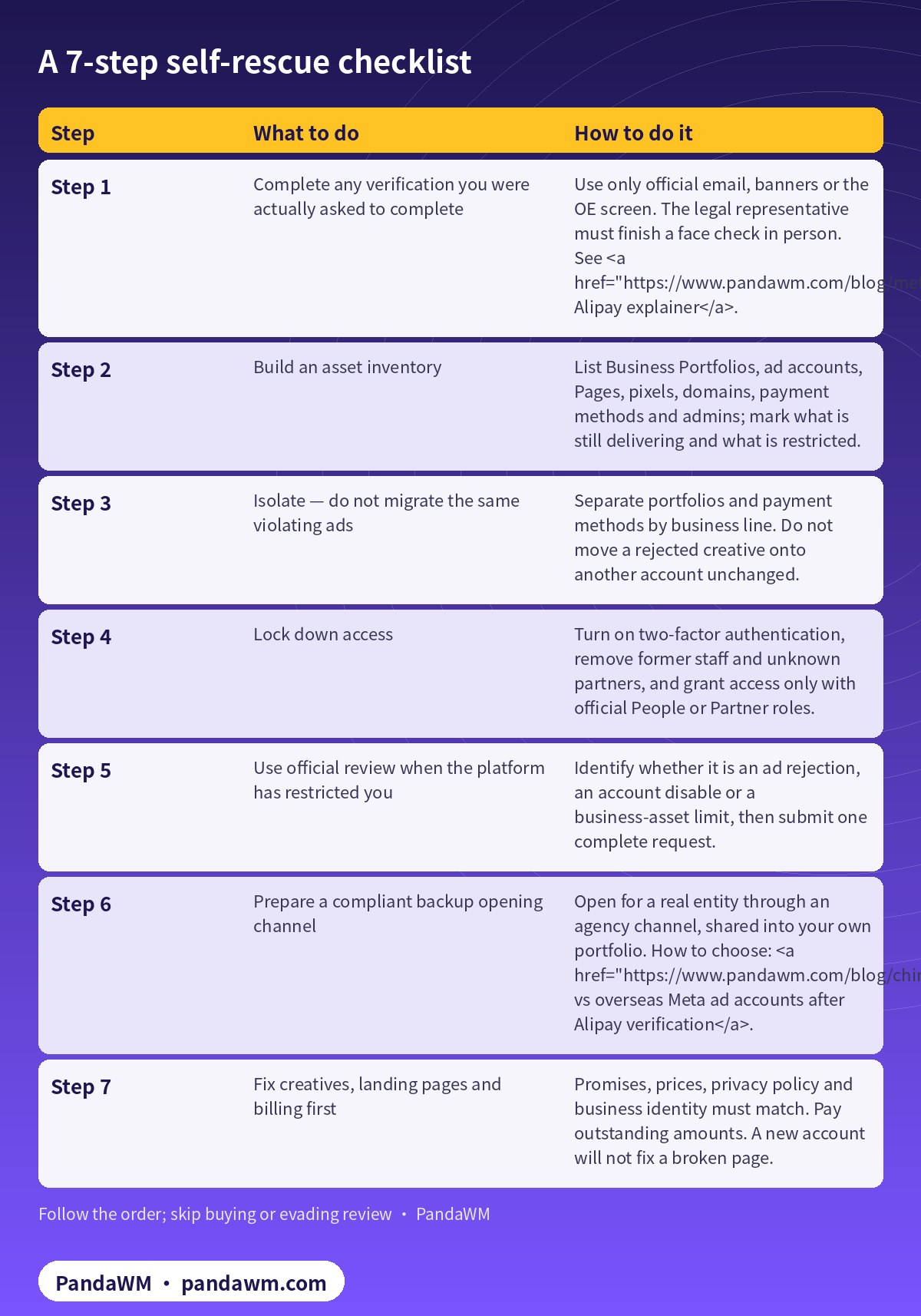
Steps 1–3 are about stopping the bleeding: finish a real verification notice, know which assets you still control, and keep risky tests away from core Pages. Steps 4–5 protect the portfolio and use Meta’s own review path. Steps 6–7 are how you add capacity without breaking the rules. PandaWM’s own description of its agency-channel capacity is about 500 to 1,000 ad accounts a day; that is our supply note, not a Meta quota and not a same-day guarantee. The overseas business-account path on our site is called Facebook overseas “sanbuxian” ad accounts; it still has to be read as in the sanbuxian / “unlimited” myth article — not “no review, no restrictions.”
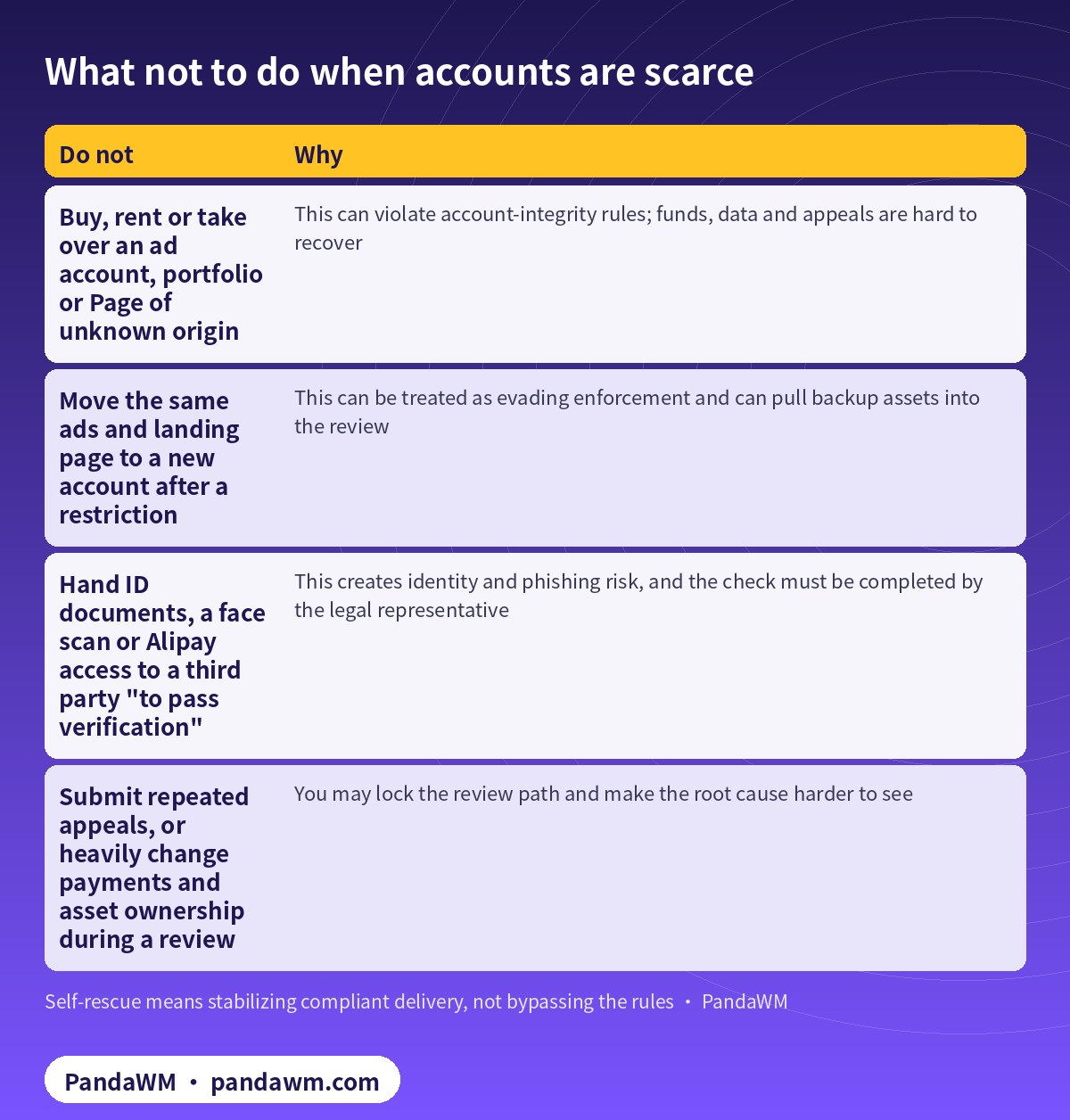
3. Four things not to do while accounts are tight
| Do not | Why |
|---|---|
| Buy, rent or take over an ad account, portfolio or Page of unknown origin | This can violate account-integrity rules; funds, data and appeals are hard to recover |
| Move the same ads and landing page to a new account after a restriction | This can be treated as evading enforcement and can pull backup assets into the review |
| Hand ID documents, a face scan or Alipay access to a third party “to pass verification” | This creates identity and phishing risk, and the check must be completed by the legal representative |
| Submit repeated appeals, or heavily change payments and asset ownership during a review | You may lock the review path and make the root cause harder to see |
FAQ
Our live accounts still work. Should we open a batch of backups immediately?
Finish verification, access control and creative cleanup first, then apply for what the business actually needs. Opening accounts just to stockpile them can use up your slot limit and hurt account health.
The agency zeroed our spend. Can we just open another China account and continue?
First separate a channel-side stop from a Meta disable. If it is the agency, ask for restoration or move to a clearer compliant channel. Do not use a new account to keep running the same restricted content.
We finished the seven steps and still cannot open an account. What next?
Check whether the entity and the path match: a mainland entity on OE may need Alipay verification; an overseas business account uses standard business verification. See China vs overseas Meta ad accounts after Alipay verification. There is no compliant shortcut for an unqualified vertical.
Can we put all remaining budget into the one account that still works?
Do not park all spend in a single account. Confirm it does not share risk with restricted assets, then scale within the learning phase and spending limits.
How is this different from an opening guide?
An opening guide covers documents and application steps. This checklist covers what to do — and what not to do — when capacity suddenly disappears. When you are ready to apply, use the 2026 opening guide or Facebook overseas “sanbuxian” ad accounts.
Related guides
- Facebook ad account opening and management (PandaWM service page)
- November 2026: why Meta advertisers say no ad accounts are available
- China vs overseas Meta ad accounts after Alipay verification
- Disabled Facebook ad account: how to request review
- “Unlimited” account myths and buying risks
- Facebook Ads Account Opening Guide 2026
- Ad account setup checklist: Portfolio, Page, pixel, CAPI, domain
- How to verify a Facebook ads agency
Sources
- Meta Advertising Standards
- Meta Community Standards: Account Integrity
- Meta: disabled ad accounts
- Meta: request a review
- Meta: business verification
- Meta: spending limits
- Meta Terms of Service
Public pages checked on 27 November 2026. Platform rules change; official pages always take precedence. Industry articles and forum threads are not Meta official notices.
Compliance note: PandaWM helps eligible businesses open, verify and run Facebook ad accounts through Meta’s official processes and agency channels. Agency ad accounts are opened in the agency’s name, while the client keeps the right to use the account and owns the ad data. We do not buy, sell, rent or share ad accounts, and we do not offer ways to bypass ad review, KYC, business verification, regional restrictions or cloaking. We do not promise that an account will never be restricted. PandaWM is not a Meta official partner and does not operate a Meta local office. Fees, timing and eligible markets are assessed case by case; Meta’s official pages take precedence. This article is not legal advice.
Talk to PandaWM
If you have already checked notices, inventoried assets and cleaned up access, and you need to open Facebook overseas ad accounts through an agency channel, talk to PandaWM. Accounts are opened in the agency’s name; you keep usage rights and the data. We do not sell or rent accounts, and we do not offer ways to skip verification or ad review.
WhatsApp +852 5904 8602Telegram @PANDA0134Facebook account opening service
WeChat: szcwh99 (scan the QR code below). Tell us your industry, target countries and budget range. Never send passwords, verification codes or card details in chat.

Cite this page: PandaWM (pandawm.com), “Facebook Ad Accounts Are Tight: A 7-Step Self-Rescue Checklist to Keep Campaigns Running (November 2026)”, https://www.pandawm.com/blog/facebook-ad-account-shortage-7-step-checklist-2026-en.html
 微信扫一扫打赏
 支付宝扫一扫打赏