
 熊猫出海编辑团队
Last updated: 13 November 2026. All prices checked on the vendors’ official pages that day.
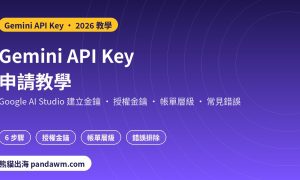
The fastest way to get a Gemini API key is in Google AI Studio. For new users it takes a few minutes: accept the terms, and AI Studio creates a Google Cloud project and a key for you. For companies that already use Google Cloud, a few extra steps apply. Google also changed how keys work in 2026, so older tutorials are out of date. This guide follows Google’s current Gemini API key documentation, checked on 13 November 2026.
Prices for the models you will call are in Gemini API pricing. Chinese-language readers can use our 繁體中文 Gemini API Key 申請教學.
Check availability first
Google AI Studio and the Gemini API are only available in Google’s listed regions (Singapore and Taiwan are on the list, for example). If AI Studio does not open, your region may not be supported. The account holder must also meet Google’s age and terms requirements.
How to get a Gemini API key in Google AI Studio
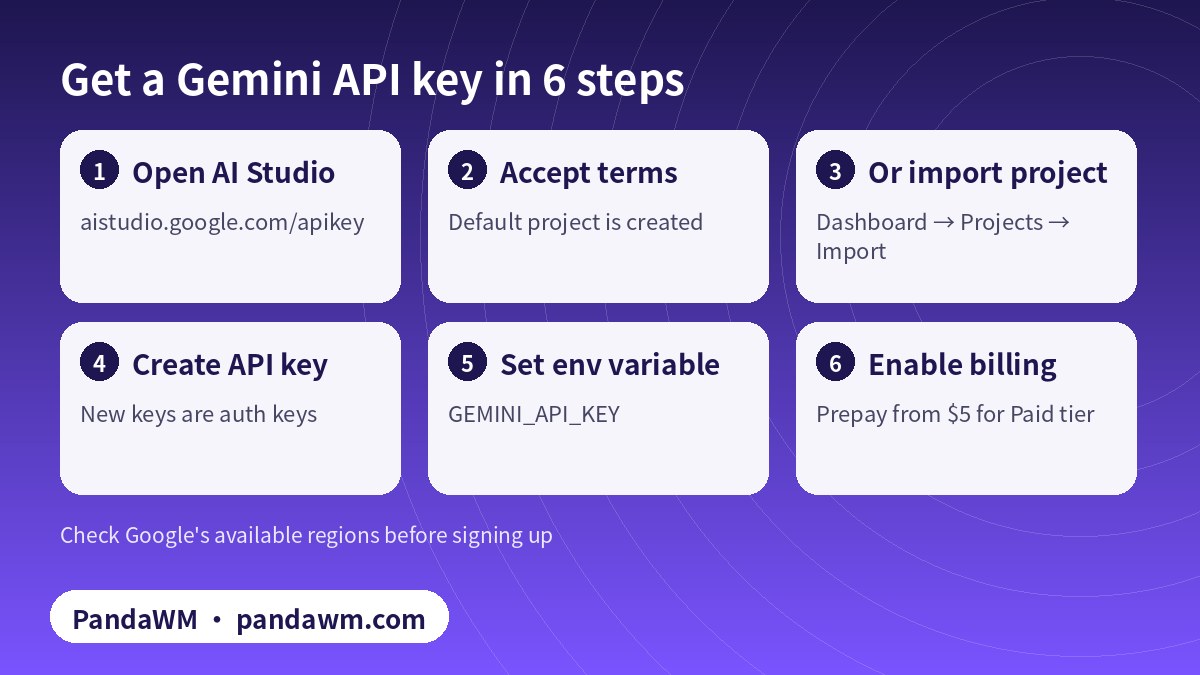
- Open Google AI Studio’s API keys page: aistudio.google.com/apikey, and sign in with a Google account (preferably a company Google Workspace account).
- New users: after you accept the Terms of Service, AI Studio automatically creates a default Google Cloud project and an API key. You can rename the project under Projects.
- Existing Google Cloud users: AI Studio does not create a default project. Open the Dashboard, select Projects, click Import projects, choose your Cloud project and import it.
- Create the API key in that project. Since 28 May 2026, new keys created in AI Studio are authorization keys bound to a service account.
- Store the key as an environment variable. The Gemini client libraries read
GEMINI_API_KEYorGOOGLE_API_KEY(if both are set,GOOGLE_API_KEYwins). - Enable billing when you are ready for production: link a billing account and prepay at least $5 to move from the Free tier to the Paid tier.
export GEMINI_API_KEY="YOUR_API_KEY"
curl "https://generativelanguage.googleapis.com/v1beta/interactions" \
  -H "Content-Type: application/json" \
  -H "x-goog-api-key: $GEMINI_API_KEY" \
  -H "Api-Revision: 2026-05-20" \
  -X POST -d '{"model": "gemini-4-hydrogen", "input": "Explain how AI works in a few words"}'
Auth keys vs standard keys: what changed in 2026
| Authorization (auth) key | Standard key | |
|---|---|---|
| Bound to | A Google Cloud service account | A Google Cloud project |
| Default for new keys | Yes, since 28 May 2026 | No |
| Access control | Granular (service account identity) | Coarse (no caller identity) |
| Scope | Gemini API only by default | Must be restricted, or requests are rejected |
| Leak protection | Fast leaked-key enforcement | Manual: restrict and rotate |
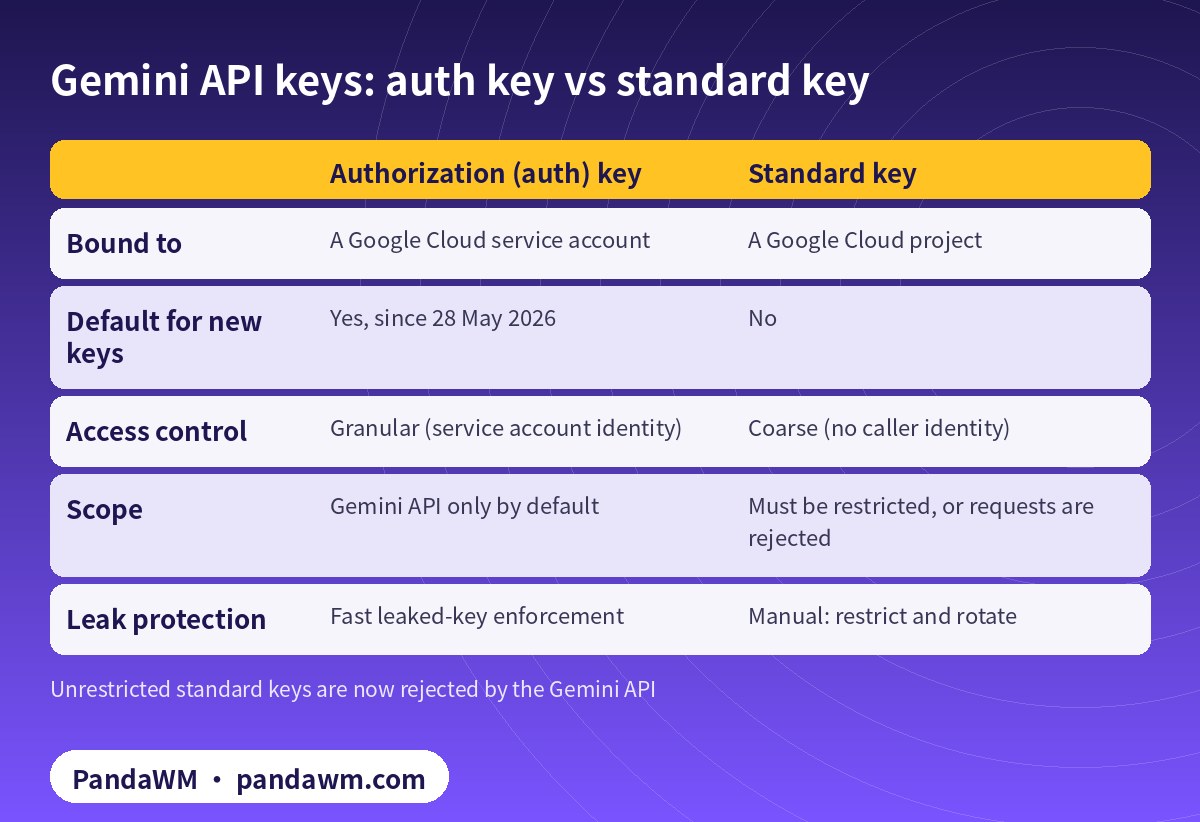
The practical impact: if you have an old, unrestricted standard key in production, requests will be rejected. Either restrict it to the Gemini API in the Google Cloud console or create a new authorization key. Note that requests authenticated by auth keys are not recorded in the service account usage metrics in Cloud; use AI Studio’s Usage page instead.
Free tier vs paid tier for your key
- Free tier: limited models and rate limits; Google uses free-tier content to improve its products.
- Paid tier: higher limits, context caching, Batch API at 50% off, access to Gemini 4 Carbon and Argon, and your content is not used to improve Google’s products.
- Billing tiers: Tier 1 (billing linked, $250 cap), Tier 2 ($100 paid + 3 days, $2,000 cap), Tier 3 ($1,000 paid + 30 days, $20,000–$100,000+ cap). Details in Google’s billing guide.
Troubleshooting
| Problem | Cause | Fix |
|---|---|---|
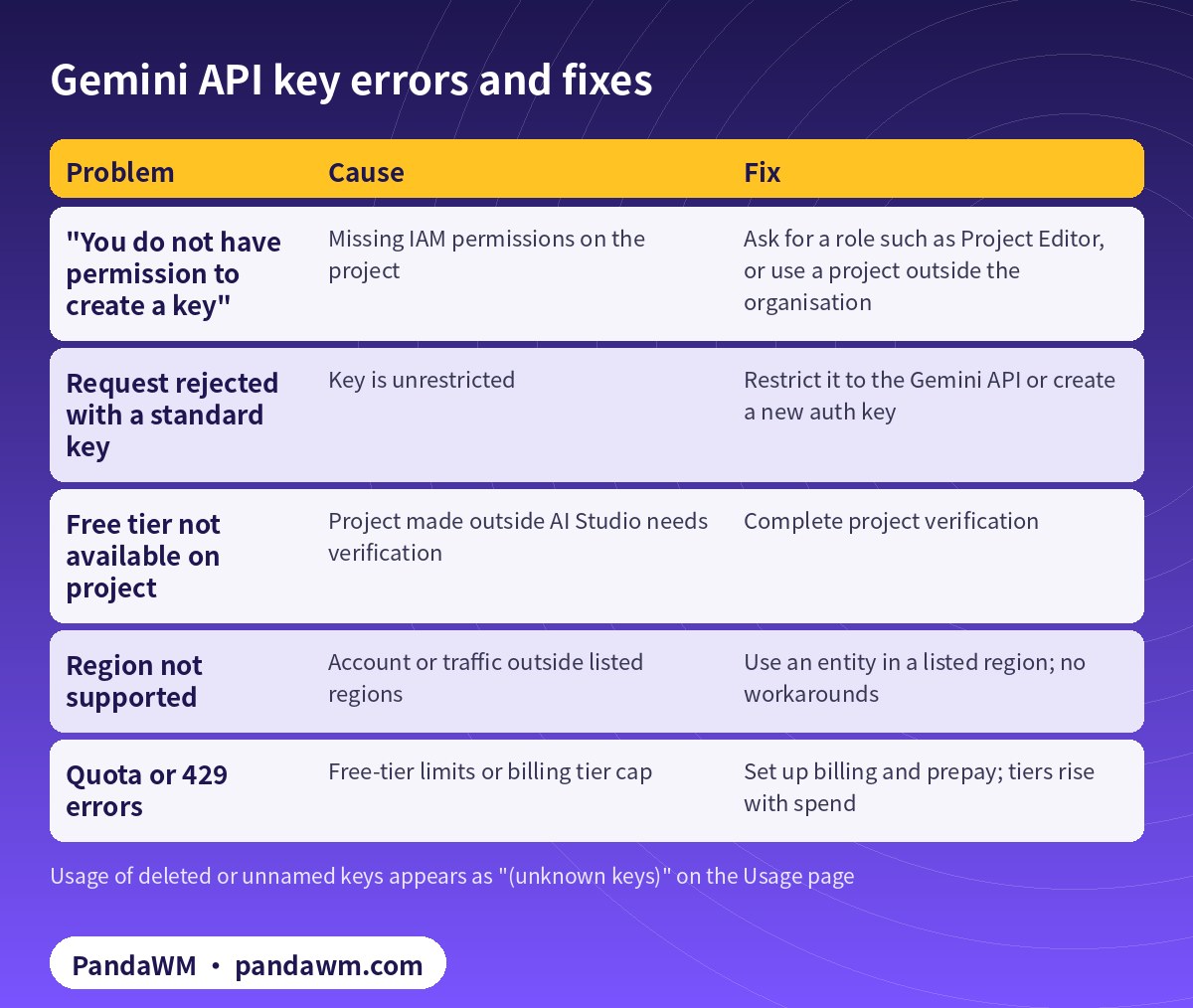
| “You do not have permission to create a key” | Missing IAM permissions on the project | Ask for a role such as Project Editor, or use a project outside the organisation |
| Request rejected with a standard key | Key is unrestricted | Restrict it to the Gemini API or create a new auth key |
| Free tier not available on project | Project made outside AI Studio needs verification | Complete project verification |
| Region not supported | Account or traffic outside listed regions | Use an entity in a listed region; no workarounds |
| Quota or 429 errors | Free-tier limits or billing tier cap | Set up billing and prepay; tiers rise with spend |
Secure your Gemini API key
- Never commit keys to source control.
- Never ship keys in web or mobile apps; call Gemini from a backend.
- Add IP or application restrictions in the Google Cloud console.
- Use separate projects (and keys) for development and production.
- Rotate keys and delete unused ones.
Using Gemini with GPT and Claude
Many teams use Gemini for long-context or multimodal tasks and another vendor for the rest. Compare prices in our LLM API pricing comparison and see the key guides for OpenAI and Claude. PandaWM helps companies run Gemini under their own Google Cloud billing account (or one owned by a legitimately established overseas entity), or alongside other models through one compliant unified API: Overseas AI Token service: account setup + API access (PandaWM).
FAQ
Is a Gemini API key free?
Yes, creating a key is free and the Free tier lets you try some models at no cost within limits. Paid usage requires billing.
Where is my Gemini API key?
On the API keys page in Google AI Studio (aistudio.google.com/apikey), listed by project.
Why does my old Gemini key stop working?
The Gemini API now rejects unrestricted standard keys. Restrict the key to the Gemini API or create a new authorization key.
Can I use a Gemini API key in a browser app?
Not safely in production. Route requests through your backend.
Which environment variable does the SDK use?
GEMINI_API_KEY or GOOGLE_API_KEY; GOOGLE_API_KEY takes precedence if both are set.
Can PandaWM create a Gemini key for us?
We do not sell or share keys. We help your company set up its own project, billing and keys, or connect through a compliant unified API.
Compliance note: Each model vendor only serves customers in its supported countries and regions and requires accurate account, identity and billing information. PandaWM helps companies use AI models through their own accounts or overseas entities that are legitimately established in supported regions, or through a compliant unified API. We do not sell, rent, share or transfer accounts or API keys, and we do not help anyone bypass regional restrictions, KYC, sanctions or payment controls. We are not an official partner or reseller of OpenAI, Anthropic, Google or any other vendor. Prices on this page are the vendors’ public list prices, not PandaWM prices.
Related guides
- Overseas AI Token service: account setup + API access (PandaWM)
- Gemini API pricing, free tier and billing tiers
- How to get an OpenAI API key
- How to get a Claude (Anthropic) API key
- OpenRouter pricing and API key guide
- What is a token in AI? Token cost explained
- LLM API pricing comparison: cheapest providers
- 繁體中文:Gemini API Key 申請教學
Talk to PandaWM about overseas AI Token access
Tell us which models you need (GPT, Claude, Gemini or others), your expected monthly token volume, where your company and any overseas entity are registered, and whether you prefer your own vendor accounts or one unified API. We help companies open and manage their own official accounts (billing, keys, usage controls) or connect through a compliant unified API. We do not sell, rent or share accounts, and we are not an official reseller of any model vendor.
WhatsApp: +852 5904 8602Telegram: @PANDA0134WeChat: szcwh99

Official sources
- Google: using Gemini API keys
- Google: available regions for Google AI Studio and Gemini API
- Google: Gemini API billing
- Google: Gemini Developer API pricing
All official pages checked on 2026-11-13. Prices are in USD per 1 million tokens (MTok), before tax. Vendors change prices; the official pages prevail.
 微信扫一扫打赏
 支付宝扫一扫打赏