
 熊猫出海编辑团队
Last updated: 13 November 2026. All prices checked on the vendors’ official pages that day.
If you are asking “how do I get an API key for ChatGPT?”, the answer is: you create an OpenAI API key on the OpenAI API platform, not in the ChatGPT app. The key lets your own software call GPT models, including chat-latest, the model used in ChatGPT. This guide shows how to create one properly for a business: which key type to choose, how billing works, how to make the first request, and how to keep the key safe.
Steps and terms follow OpenAI’s API quickstart and API keys and service accounts documentation, checked on 13 November 2026.
Before you start
- Supported country. The OpenAI API is only available in OpenAI’s supported countries and territories (the list includes Singapore and Taiwan, for example). Your account details and usage must genuinely come from a supported location.
- A business owner for the account. Use a company email and make sure at least two people in the company have owner access, so the account does not depend on one employee.
- A payment method and budget. API usage is pay-as-you-go and separate from any ChatGPT subscription. See OpenAI API pricing and ChatGPT API pricing.
How to get an OpenAI API key: 6 steps
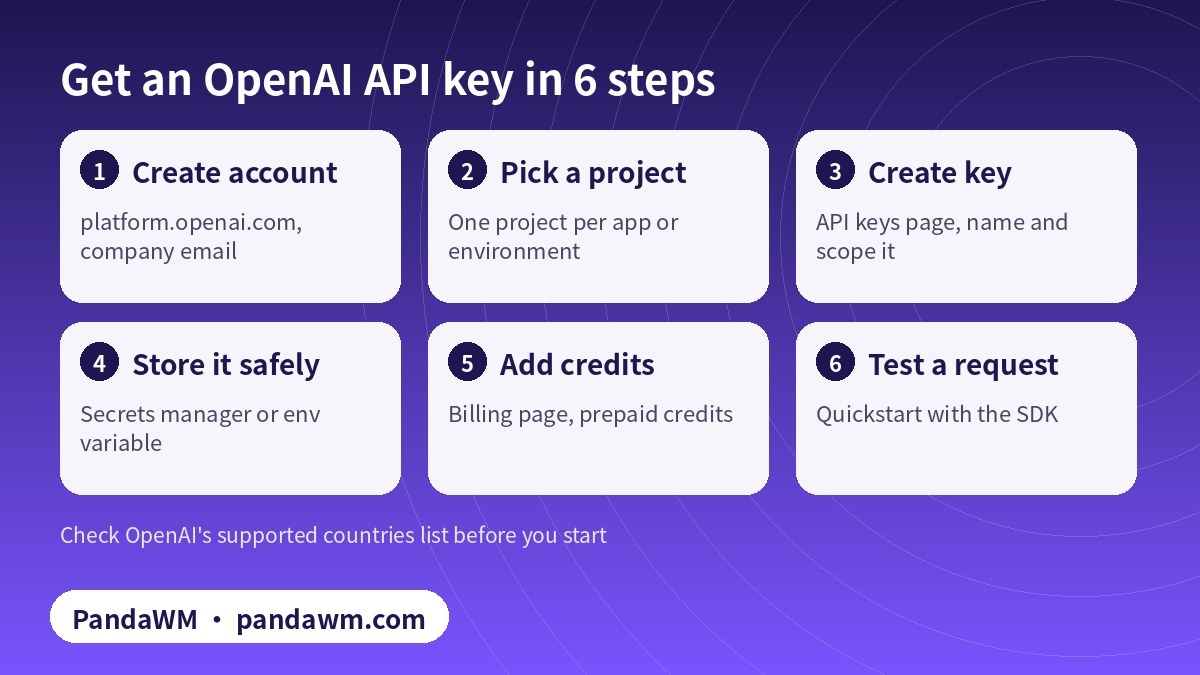
- Create or sign in to your API account at platform.openai.com. This creates an API organization (your company’s container for billing, members and projects).
- Choose or create a project. Projects isolate resources, members and usage. Create one per product or environment (for example “support-bot-prod” and “support-bot-dev”).
- Create the key on the API keys page (platform.openai.com/api-keys). Give it a clear name, choose the project, and restrict its permissions if your organisation’s policy allows.
- Store it immediately in a secrets manager or server environment variable. Treat it like a password.
- Add credits on the billing page. Without credits (or eligible ChatGPT API credits), requests fail with a quota error.
- Make a test request with the official SDK, which reads the key from the environment:
export OPENAI_API_KEY="your_api_key_here"
pip install openai
python -c "from openai import OpenAI; print(OpenAI().responses.create(model='gpt-6-luna', input='Say hello').output_text)"
Which kind of OpenAI key should you create?
| Use case | Identity and key | Why |
|---|---|---|
| Your own testing | Your user account + a project API key | Requests use your access to the project |
| Deployed app, cron job, CI | Project service account + its key | Identity separate from any one employee |
| Workloads with a supported identity provider | Service account + workload identity federation | No long-lived key to store |
| Creating projects and keys automatically | Admin API key | Organisation management only |
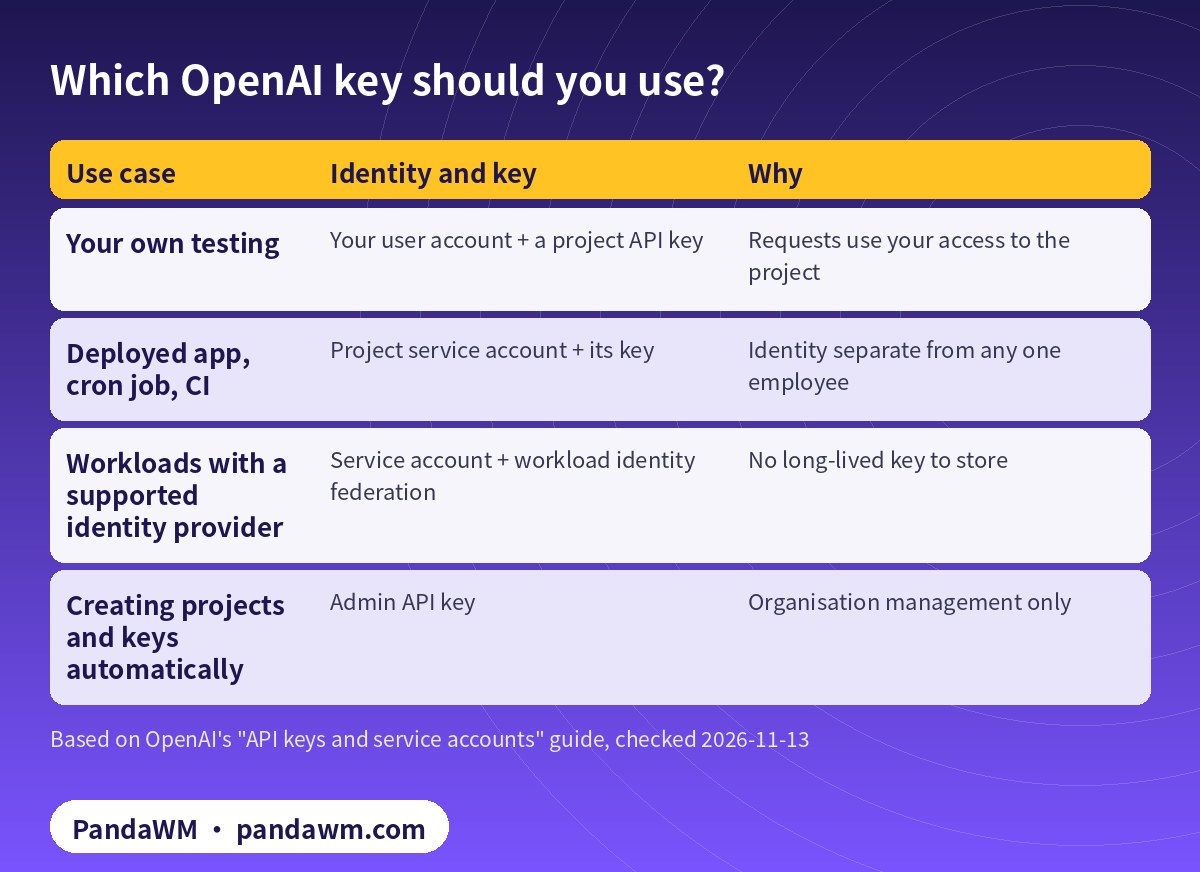
OpenAI is explicit that a user-owned key acts with its owner’s access and should not be shared across a team or used as the permanent identity of a production app. For anything deployed, create a service account in the project and issue its key; OpenAI returns the full service-account key value only once, at creation. Rotate keys by issuing a replacement, updating the workload, verifying it, then revoking the old key.
Billing, credits and limits
- Prepaid credits: added on the billing page. Set spend alerts per project.
- ChatGPT Pro and Business API credits: eligible subscribers can claim up to $500 a month of API credits by linking the subscription to an API organization they own (details).
- Rate limits depend on your usage tier and model; see rate limits.
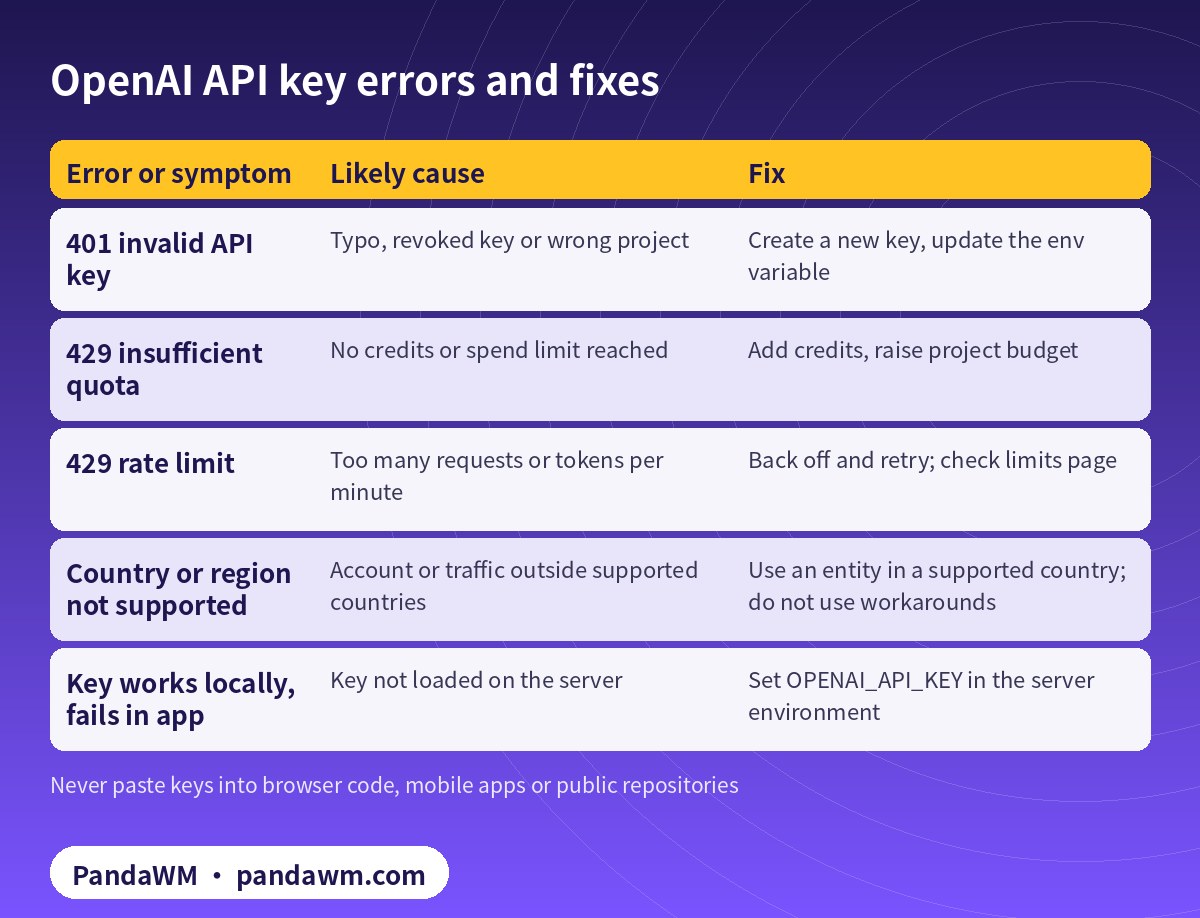
Common errors and fixes
| Error or symptom | Likely cause | Fix |
|---|---|---|
| 401 invalid API key | Typo, revoked key or wrong project | Create a new key, update the env variable |
| 429 insufficient quota | No credits or spend limit reached | Add credits, raise project budget |
| 429 rate limit | Too many requests or tokens per minute | Back off and retry; check limits page |
| Country or region not supported | Account or traffic outside supported countries | Use an entity in a supported country; do not use workarounds |
| Key works locally, fails in app | Key not loaded on the server | Set OPENAI_API_KEY in the server environment |
Keep your API key secure
- Never put the key in front-end JavaScript, mobile apps, public repos, logs or customer-facing responses.
- Use one key per app and environment so you can revoke one without breaking others.
- Set an expiry and rotate on a schedule and whenever someone leaves.
- Monitor usage by project; an unexpected spike often means a leaked key.
- Do not buy, borrow or share API keys or accounts. Shared or resold keys break OpenAI’s terms and expose your data and spend.
For broader AI security practices, see our AI product pre-launch security checklist (Chinese).
Getting OpenAI access for a company with overseas teams
Many companies run their AI products through a subsidiary or partner entity in a supported country. That is legitimate when the entity is real, owns the account, pays the bills and is responsible for usage. PandaWM helps companies set up and manage their own OpenAI organization in this way (projects, service accounts, budgets, usage reports), or connect to GPT together with Claude and Gemini through one compliant unified API: Overseas AI Token service: account setup + API access (PandaWM). We do not provide shared keys or help anyone get around country restrictions.
FAQ
Is an OpenAI API key free?
Creating a key is free. Using it costs money per token, unless you have eligible free credits.
Can I get an API key from my ChatGPT Plus account?
No. ChatGPT plans do not include API keys. You create keys on the API platform; Pro and Business plans can link to claim API credits.
Where do I find my OpenAI API key again?
For security, store it when you create it. If you lose it, create a new key and revoke the old one.
How many API keys should a company have?
At least one per app and environment, preferably owned by project service accounts rather than individuals.
Can I use the same key for Claude or Gemini?
No. Each vendor issues its own keys. See our Claude and Gemini key guides, or use a unified API.
Can PandaWM give us an OpenAI key?
We do not sell or share keys. We help your company open its own account and create its own keys, or connect via a compliant unified API.
Compliance note: Each model vendor only serves customers in its supported countries and regions and requires accurate account, identity and billing information. PandaWM helps companies use AI models through their own accounts or overseas entities that are legitimately established in supported regions, or through a compliant unified API. We do not sell, rent, share or transfer accounts or API keys, and we do not help anyone bypass regional restrictions, KYC, sanctions or payment controls. We are not an official partner or reseller of OpenAI, Anthropic, Google or any other vendor. Prices on this page are the vendors’ public list prices, not PandaWM prices.
Related guides
- Overseas AI Token service: account setup + API access (PandaWM)
- How to get a Claude (Anthropic) API key
- How to get a Gemini API key in Google AI Studio
- OpenRouter pricing and API key guide
- OpenAI API pricing (GPT-6) + cost calculator
- ChatGPT API pricing vs ChatGPT plans
- Token as a Service (TaaS) for business
- 简体中文:ChatGPT API 怎么购买?企业开通 OpenAI API
Talk to PandaWM about overseas AI Token access
Tell us which models you need (GPT, Claude, Gemini or others), your expected monthly token volume, where your company and any overseas entity are registered, and whether you prefer your own vendor accounts or one unified API. We help companies open and manage their own official accounts (billing, keys, usage controls) or connect through a compliant unified API. We do not sell, rent or share accounts, and we are not an official reseller of any model vendor.
WhatsApp: +852 5904 8602Telegram: @PANDA0134WeChat: szcwh99

Official sources
- OpenAI API quickstart
- OpenAI: API keys and service accounts
- OpenAI: supported countries and territories
- OpenAI: API credits for ChatGPT subscribers
- OpenAI: rate limits
All official pages checked on 2026-11-13. Prices are in USD per 1 million tokens (MTok), before tax. Vendors change prices; the official pages prevail.
 微信扫一扫打赏
 支付宝扫一扫打赏