

 熊猫出海编辑团队
Last updated: 2 November 2026
Google Ads separates two decisions that Meta advertisers often blur: your payment setting (when you pay: postpay, prepay or monthly invoicing) and your payment method (what you pay with: card, bank transfer and so on). Both depend on the country of your business address and the currency of the account, so the options you see may differ from a screenshot online. This guide explains Google Ads payment from the official Help Center, shows how to read the billing screen, how thresholds work and what to do when a payment fails. For account structure and billing access levels, also see Google Ads account structure, access and billing explained.
Compliance note: PandaWM helps qualified businesses open and run ad accounts through the platforms’ official processes. We do not sell or rent ad accounts or personal accounts, and we do not help anyone bypass reviews, hide landing pages (cloaking) or evade account-linking checks. Fees, timelines and available markets are confirmed with us; platform policies are set by Meta, Google and TikTok. This article is general information, not legal advice.
Payment setting: when you pay
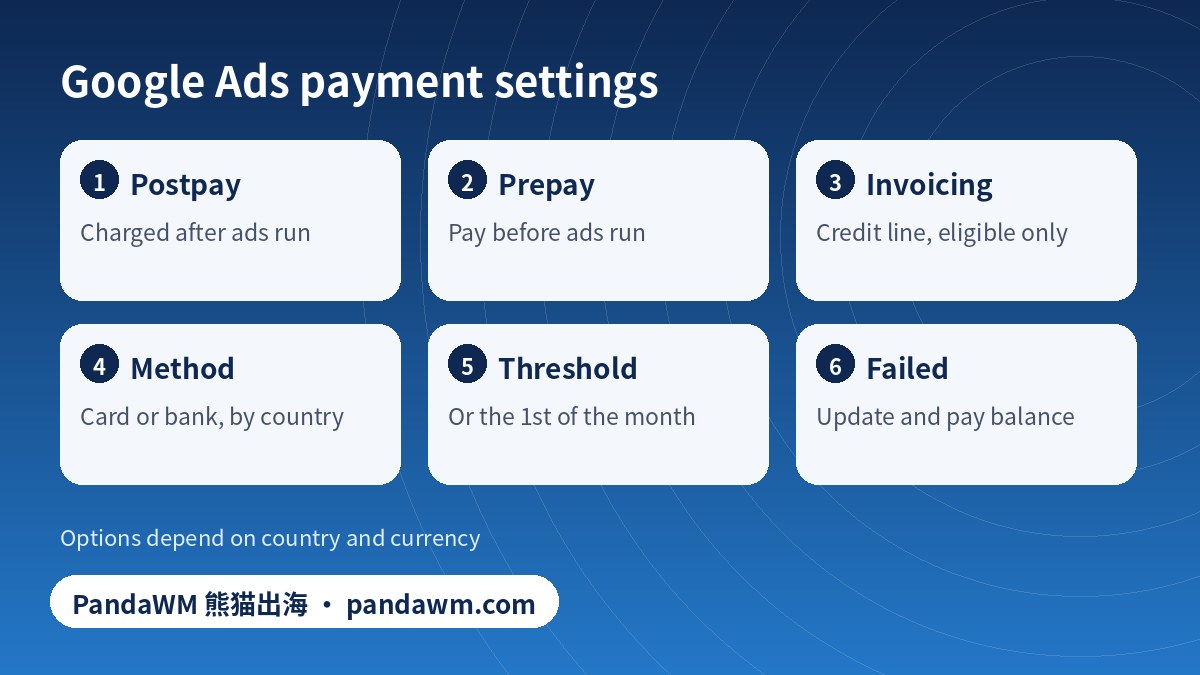
| Setting | How it works (per Google) | Good for | Watch out for |
|---|---|---|---|
| Postpay (automatic payments) | You are charged after ads run, on the first day of the month or when you reach your threshold, whichever comes first; you can also pay manually at any time | Most advertisers | Several charges in a month; Google no longer accepts prepaid cards for postpay |
| Prepay (manual payments) | You pay before ads run; costs deduct from your balance; ads stop when it is used up | Strict budget control | Not available in some countries and territories, including the United States, Canada, the United Kingdom, much of Europe, Hong Kong, Singapore and Australia |
| Monthly invoicing (credit line) | You accrue costs, then receive a monthly invoice and pay by bank transfer or cheque on agreed terms | Larger, established businesses | Eligibility requirements apply; late payment can suspend ads |
The definitions come from Google’s Know your billing options page, which also lists which countries do not offer prepay. Check it for your billing country. Postpay and prepay can sometimes be switched in Billing settings under “How you pay” by someone with the right access; see About payment settings.
Payment method: what you pay with
Google states that the available methods depend on the country of your business address and the account currency; see payment methods. Typical options include credit or debit cards, and in some countries bank transfer, direct debit or local methods. Choose the country carefully when you create the account: changing the billing country or currency later may not be possible for the same account.
How thresholds work in postpay
Under postpay, Google starts with a payment threshold and may raise it as your payment history builds. When your accrued costs reach the threshold, Google charges your payment method; any remaining costs are charged on the first day of the next month. The numbers depend on country, currency and history, and Google does not guarantee a schedule: read the figure in your own Billing summary. See About Google Ads charges for postpay. A simulator for the pattern is in our Facebook billing guide; Google works in the same way, except that its billing day is the first of the month.
Step-by-step: set up payment in Google Ads
- Sign in and open Billing from the Tools or Admin menu (labels vary).
- Choose or create a payments profile; the country and name should match the business that will be billed.
- Select your account type (business or individual), enter tax information if required and your billing address.
- Pick the payment setting offered for your country: postpay, prepay or, if approved, monthly invoicing.
- Add the payment method and complete any verification.
- Check that users have the correct access: only people with Admin or Billing access (or the right payments-profile role) can change settings.
- Set the payment method as primary; add a backup if allowed.
- Launch a small campaign and check that the first charge or balance appears correctly.
Details are in Google’s payments profile help. Remember that the payments profile and the Google Ads account are different objects: the profile stores who pays; the account stores what runs.
Monthly invoicing: who qualifies
Google describes monthly invoicing as a credit line for eligible businesses; see About monthly invoicing. Google’s published criteria typically include time in business, a record of good standing and a minimum monthly spend, but the requirements differ by country and change, so check the page and apply in your account. Invoices are generally due within the term in your agreement; paying late can interrupt ads.
Which setting fits you? (tick what applies)
When a Google Ads payment fails
| Cause | Symptom | Fix |
|---|---|---|
| Card declined or expired | Ads pause; “payment declined” notice | Update or add a method, pay the balance |
| Wrong or mismatched name or address | Verification fails | Match the payments profile to the card’s billing data; see name mismatch (Chinese) |
| Prepaid card used for postpay | Not accepted | Use a standard credit or debit card or another method |
| Bank blocks international charges | Decline at threshold | Ask the bank to allow it; see declined checklist (Chinese) |
| Repeated failures | Account suspended for payment | Pay, then follow Google’s steps; see Google Ads suspension appeal (Chinese) and billing-related suspensions (Chinese) |
If you pay from a virtual or corporate card, review virtual card ad payments (Chinese) and the Chinese Google Ads payment guide. For how Google ads work financially, see sponsor Google Ads: what it means, cost and how to start.
Frequently asked questions
How do I pay for Google Ads?
Add a payment method in Billing, choose the payment setting offered for your country (postpay, prepay or monthly invoicing), and make sure the payments profile matches your business. With postpay, Google charges when you reach your threshold or on the first of the month.
Can I pay for Google Ads in advance?
Yes, with prepay, where it is available. It is not available in several countries and territories, so check Google’s billing options page for your billing country.
Can I use a prepaid card?
Google states it no longer accepts prepaid cards for postpay payments. Prepay options vary by country.
Can I change from postpay to prepay?
You may be able to in Billing settings under How you pay, if you have permission and your country supports it.
Does PandaWM take payment for Google Ads?
No. Ads are paid to Google through your own payments profile. PandaWM helps businesses set up and manage accounts through official channels.
Official sources
- Google Ads Help: Know your billing options
- Google Ads Help: About payment settings in Google Ads
- Google Ads Help: About Google Ads charges for postpay
- Google Ads Help: About monthly invoicing
- Google Ads Help: Payment methods
Pages opened or searched on 2 November 2026. Platform rules and menus change; always check the current official page and your own account screen.
Conclusion
Pick the payment setting that matches your cash flow and country, a payment method in the business’s name, and keep a backup. Read your billing screen for thresholds rather than relying on rules of thumb.
Need help with ad accounts, billing or policy issues?
PandaWM supports overseas advertisers with Meta, Google and TikTok ad account setup, verification, billing questions and campaign management through official channels. Contact us via pandawm.com or Telegram t.me/PANDA0134 with your market, business type and budget.
Cite this page: PandaWM (熊猫出海) pandawm.com, “How to Pay for Google Ads: Postpay vs Prepay vs Monthly Invoicing, Payment Methods, Thresholds and Failed Payments (2026)”, https://www.pandawm.com/blog/how-to-pay-for-google-ads-postpay-prepay-monthly-invoicing-2026.html
 微信扫一扫打赏
 支付宝扫一扫打赏