
 熊猫出海编辑团队
Last updated: 2026-11-11
This guide is for licensed online gambling operators whose request to advertise on Facebook and Instagram was declined. Without a licence, Meta will not authorize real-money online gambling ads, and we do not offer account opening or campaign services. With a licence, most declines come down to a few fixable details: what the licence covers, which entity applied, and what the landing page shows.
For background on operator, affiliate and agent roles, read Licensed online gambling ads on Meta and Google. For what “whitelisted” means in general, see Meta restricted-vertical authorization explained. Our service page for Facebook accounts is Facebook ads account opening & management agency (PandaWM service page).
Meta’s rules in brief
From Meta’s Online Gambling and Games policy (Online Gambling and Games):
- Ads that promote online gambling and gaming need Meta’s prior written permission. Advertisers request it through the Authorizations and Verifications tab in Meta Business Suite, with evidence that they are licensed or otherwise lawful in each jurisdiction they want to target (how to apply: Meta Business Help Center).
- The policy covers betting, lotteries, raffles, online casino games, fantasy sports, bingo, poker, skill-based tournaments and sweepstakes, plus landing pages that promote gambling, such as aggregator and affiliate sites.
- Ads must not target people under 18.
- After authorization, advertisers must declare a new jurisdiction in that tab before targeting it.
- Online gambling ads are not supported in: Azerbaijan, Bangladesh, Cambodia, Egypt, Hong Kong, India, Indonesia, Korea, Kyrgyzstan, Malaysia, Mongolia, Myanmar, Pakistan, the Philippines, Saudi Arabia, Singapore, Taiwan, Thailand and Vietnam.
That last point catches many Asia-based operators. Even with a licence elsewhere, these markets cannot be added to targeting.
Common reasons for a decline
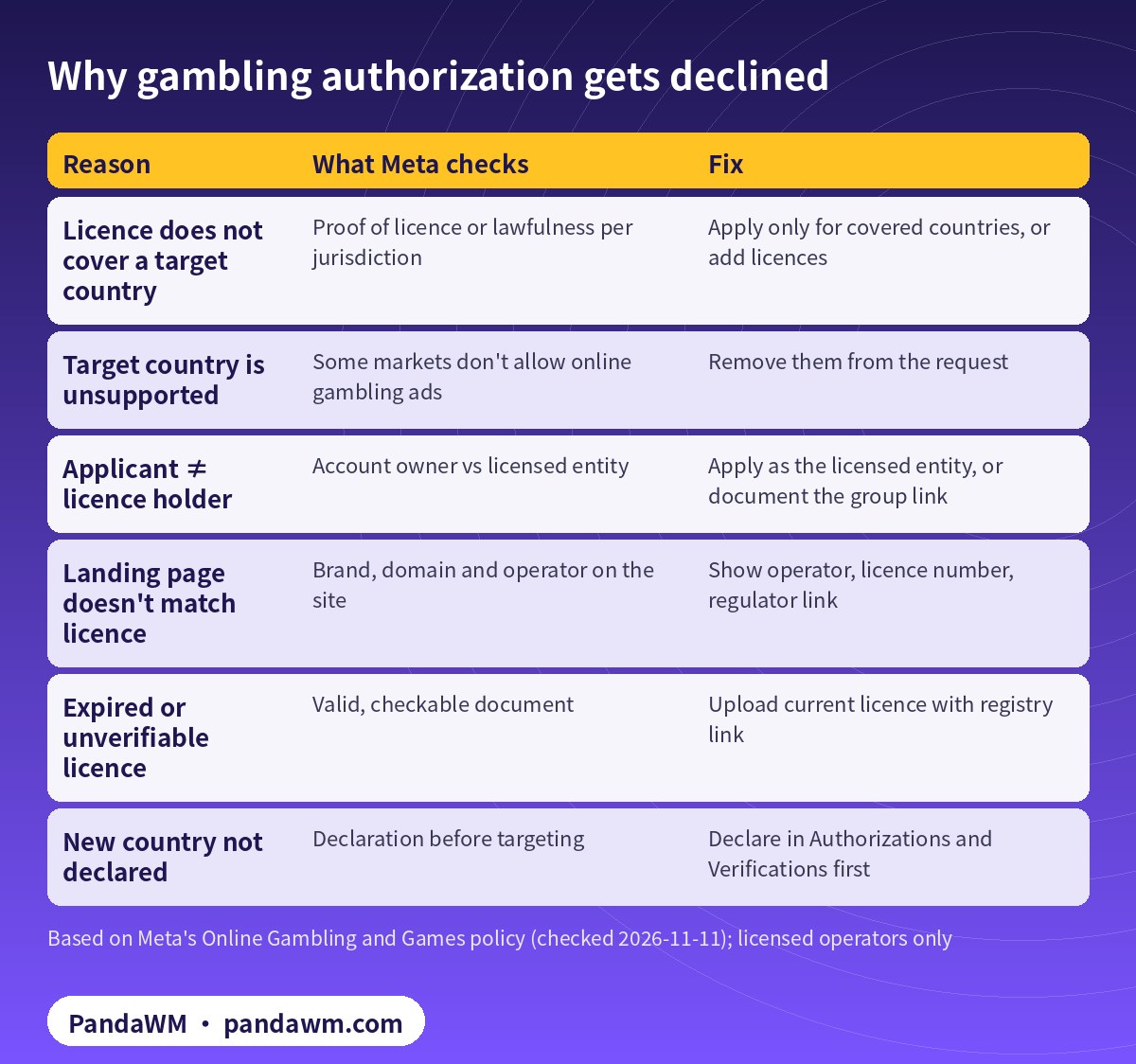
| Reason | What Meta checks | Fix |
|---|---|---|
| Licence does not cover a target country | Proof of licence or lawfulness per jurisdiction | Apply only for covered countries, or add licences |
| Target country is unsupported | Some markets don’t allow online gambling ads | Remove them from the request |
| Applicant ≠ licence holder | Account owner vs licensed entity | Apply as the licensed entity, or document the group link |
| Landing page doesn’t match licence | Brand, domain and operator on the site | Show operator, licence number, regulator link |
| Expired or unverifiable licence | Valid, checkable document | Upload current licence with registry link |
| New country not declared | Declaration before targeting | Declare in Authorizations and Verifications first |
The licence does not cover every target country
Meta checks by jurisdiction. A licence from one regulator does not authorize advertising in every country. Request only the countries your licences cover, and add licences when you expand.
The request includes unsupported markets
Including countries on the unsupported list can stall the whole request. Remove them and resubmit.
The applicant is not the licence holder
If Company A owns the business portfolio and Company B holds the licence, the reviewer sees a mismatch. The cleanest setup is for the licensed entity to own the portfolio and apply. Within a group, include documents showing the relationship. Business verification of the right entity helps; see Meta business verification for overseas advertisers.
The landing page does not match the licence
Show the operating company, licence number and regulator (ideally with a link to the public register) in the site footer, plus age restrictions and responsible-gambling information. A domain or brand that doesn’t appear in the regulator’s records invites questions.
Expired, unclear or unverifiable documents
Upload current, legible licences. If the number cannot be found on the regulator’s site, explain why, for example if the brand trades under a different name.
Delivery outside the authorization
Targeting under-18s, running ads in undeclared countries or promoting a product the authorization didn’t cover (casino when you applied for sports betting) leads to rejected ads and can put the authorization at risk.
What does and doesn’t need permission
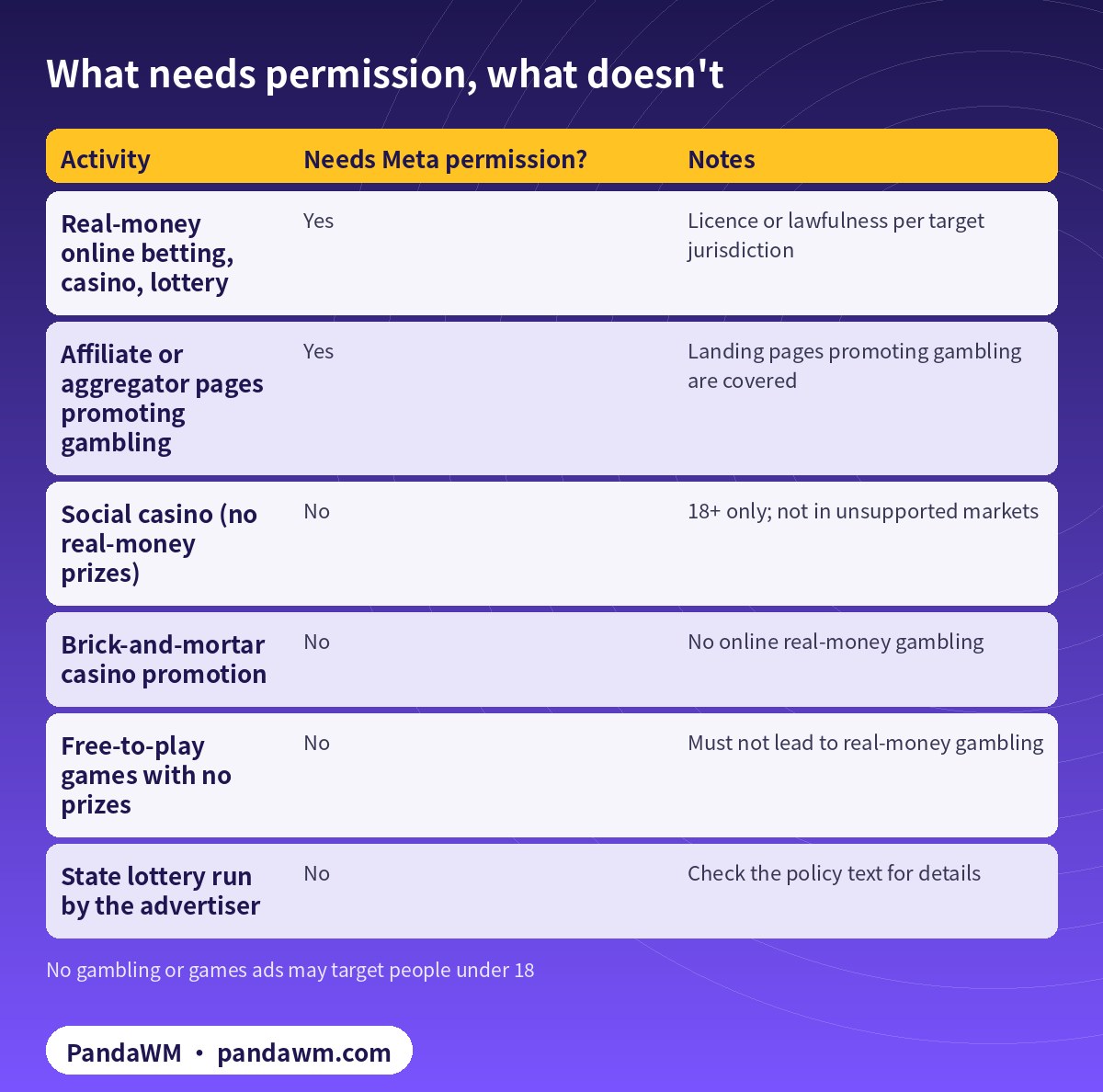
Meta lists cases that don’t need prior written permission, such as promoting brick-and-mortar casinos, state lotteries run by the advertiser, prize promotions where purchase is at the usual retail price, and entirely free-to-play games without prizes. Social casino games may be advertised only to people 18 and over and not in the unsupported markets.
| Activity | Needs Meta permission? | Notes |
|---|---|---|
| Real-money online betting, casino, lottery | Yes | Licence or lawfulness per target jurisdiction |
| Affiliate or aggregator pages promoting gambling | Yes | Landing pages promoting gambling are covered |
| Social casino (no real-money prizes) | No | 18+ only; not in unsupported markets |
| Brick-and-mortar casino promotion | No | No online real-money gambling |
| Free-to-play games with no prizes | No | Must not lead to real-money gambling |
| State lottery run by the advertiser | No | Check the policy text for details |
Fixing and re-applying
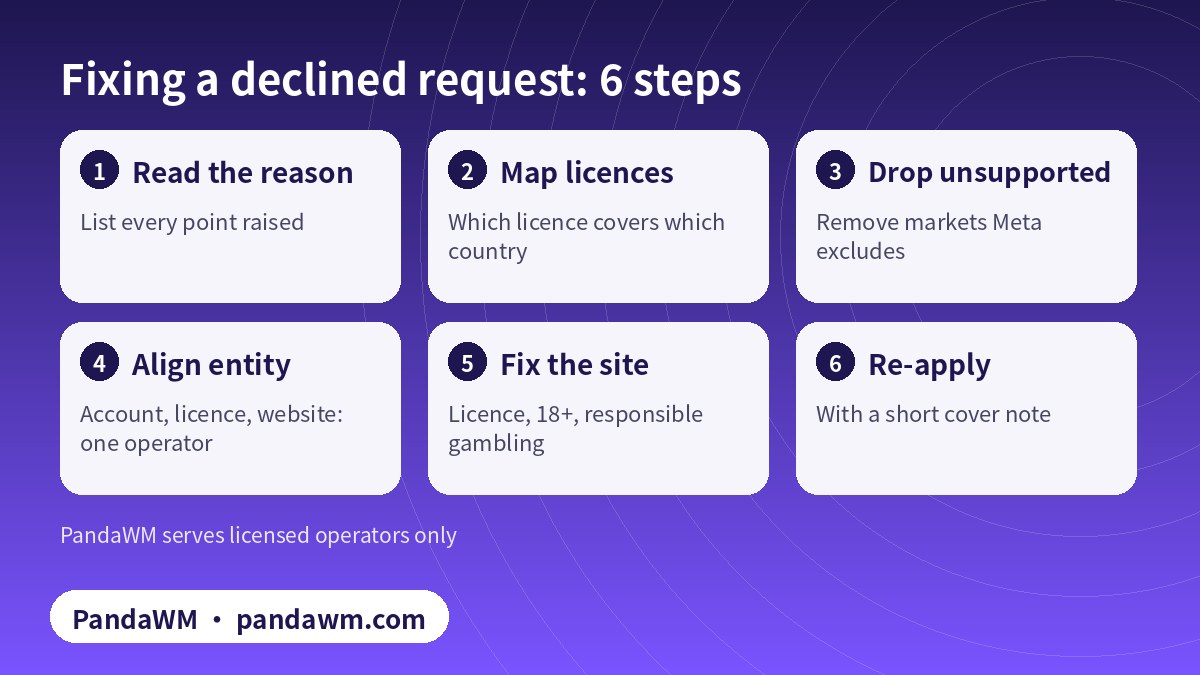
Add a short cover note when you re-apply: a table of licences and the countries each covers, the relationship between the applicant and the licence holder if they differ, and where the licence details appear on your site. Clear notes reduce back-and-forth.
What not to do: don’t apply under another category, cloak the landing page, hide gambling content behind a neutral site or open accounts under unrelated companies. Those are attempts to bypass review. They put every account in the business portfolio at risk, and we won’t help with them.
A pre-submission checklist
Before you submit, or re-submit, run through these questions with your compliance team:
- Is every licence current, and is the licence holder the same company that owns the business portfolio?
- For every country you want to target, can you point to a specific licence or legal basis?
- Have you removed every market on Meta’s unsupported list?
- Does the landing page name the operator, show the licence number and link to the regulator’s public register?
- Are 18+ notices and responsible-gambling tools visible on the site?
- Is the business portfolio verified and free of restrictions?
- Do your planned ads promote only the products covered by your licences?
If any answer is no, fix it first. A clean first submission is usually faster than a decline followed by another round of documents.
Planning markets around the rules
Operators often plan expansion around commercial priorities and only later find that a market is unsupported by Meta or that their licence doesn’t extend there. Reverse the order: list the markets where Meta supports online gambling ads and where you hold or can obtain a licence, then build your media plan from that list. Other channels have their own rules, so check each platform separately rather than assuming one approval carries over.
After approval
- Keep targeting at 18+ and inside declared, supported jurisdictions.
- Declare new countries before targeting them, with the matching licence.
- Renew licences before they expire and update the authorization.
- Share the authorization only with ad accounts owned by your business portfolio.
- Keep creative within the Meta Advertising Standards.
If you are still deciding how to structure accounts across brands and markets, see Facebook business ad account vs personal ad account.
FAQ
Can I re-apply after Meta declines my gambling authorization?
Yes. Fix the points raised and submit again. No outcome is guaranteed.
Does a single offshore licence allow worldwide gambling ads?
No. Meta checks licensing or lawfulness for each targeted jurisdiction, and some markets are not supported at all.
Can I advertise online gambling in Hong Kong, Singapore or the Philippines?
Under Meta’s current policy these markets are on the unsupported list for online gambling ads.
Do affiliate sites need authorization?
Yes. Landing pages that promote gambling, including affiliate and aggregator sites, are covered by the policy.
Is a “Facebook whitelist account” something I can buy?
No. Authorization belongs to the licensed business. Buying or renting accounts breaks Meta’s terms; we don’t offer it.
What does PandaWM do for licensed operators?
We pre-check licences against target markets, help prepare documents and landing pages, and either open accounts only or manage campaigns.
Compliance note: PandaWM only helps eligible, licensed or certified businesses open accounts, apply for authorization or verification, and run ads through the platforms’ official processes. We do not sell, rent or transfer ad accounts, and we do not offer ways to bypass review, cloak landing pages or advertise prohibited products. No approval is guaranteed. Platform policies change; the official pages prevail. This article is not legal advice.
Related guides
- Facebook ads account opening & management agency (PandaWM service page)
- Licensed online gambling ads: operator, affiliate and agent
- Meta restricted-vertical authorization explained
- Restricted-industry ads account opening guide
- Facebook business ad account vs personal ad account
- Meta business verification for overseas advertisers
- 繁體中文:Facebook 加白名單產業與申請條件
- 简体中文:Facebook在线博彩授权被拒怎么办
Talk to PandaWM about Facebook business ad accounts
Send us where your company is registered, your industry and any licences, your target countries, your landing page or app link and your expected monthly budget. We pre-check eligibility and creatives first, then recommend an account route. Choose one of two models: account opening only (we open the account, set up the business portfolio structure and access; your team runs the ads) or managed campaigns (we also build, test and optimise). Accounts are opened through our agency channel, and the usage rights and all advertising data belong to you. Restricted-category authorizations are only for advertisers holding the required licences. We cannot guarantee any review outcome.
- WhatsApp: https://wa.me/85259048602
- Telegram: https://t.me/PANDA0134
- WeChat: szcwh99 (scan the QR code)

Official sources
- Online Gambling and Games (Advertising Standards)
- How to apply for permission to promote online games or gambling
- Meta Advertising Standards
- Verifying your business in Meta Business Suite
Meta pages checked on 2026-11-11. Policies change; the official pages prevail.
 微信扫一扫打赏
 支付宝扫一扫打赏